Finding your way around
Everything that matters today is on the first screen. The rest is in the menu — down the side on a computer, along the bottom on a phone.
Screenshots
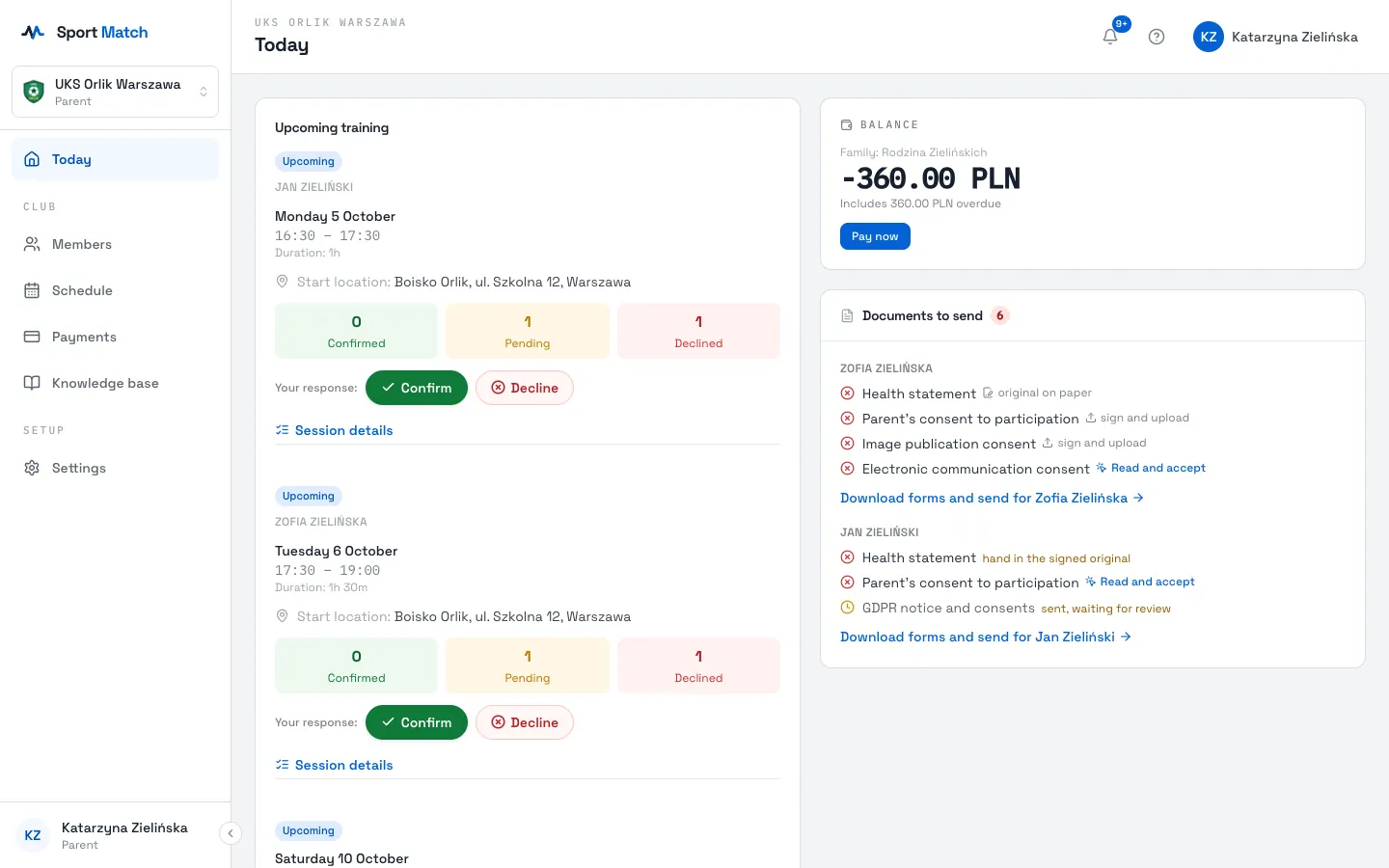
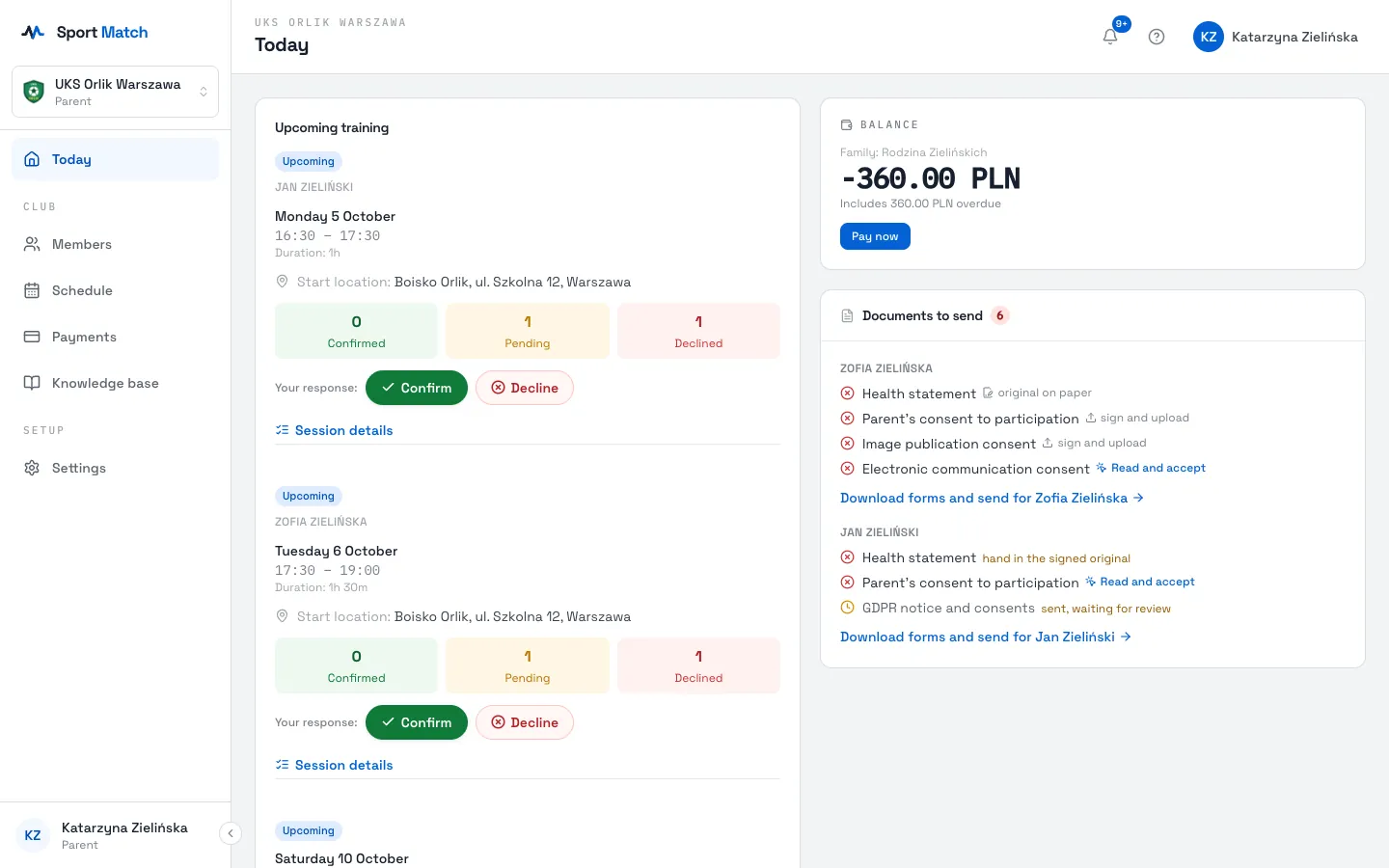
The Today screen
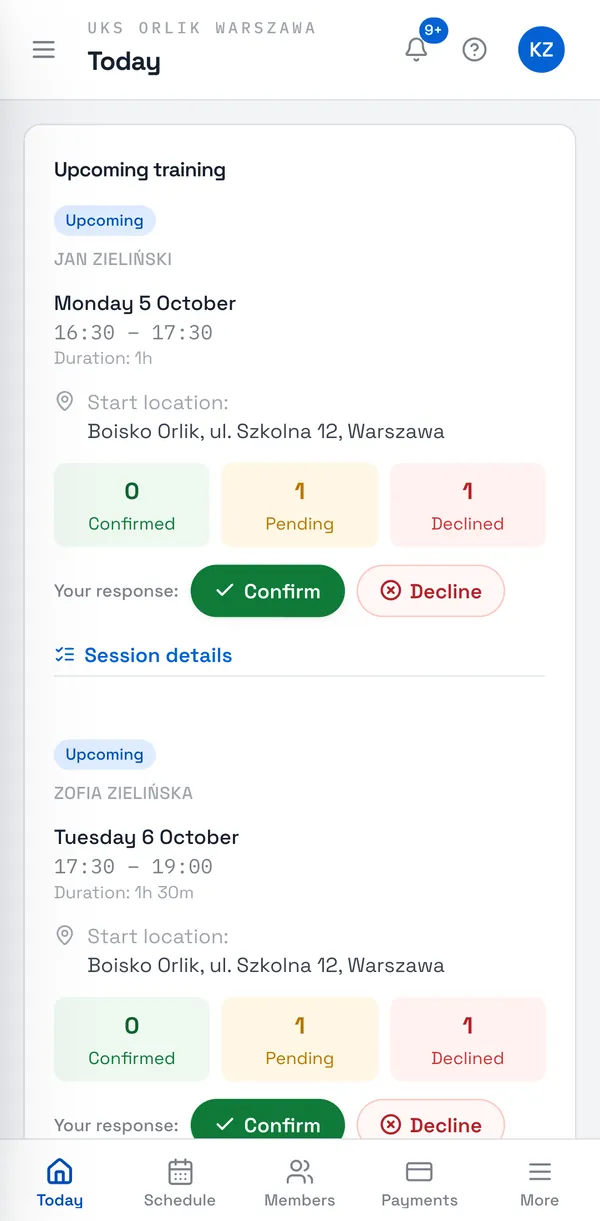
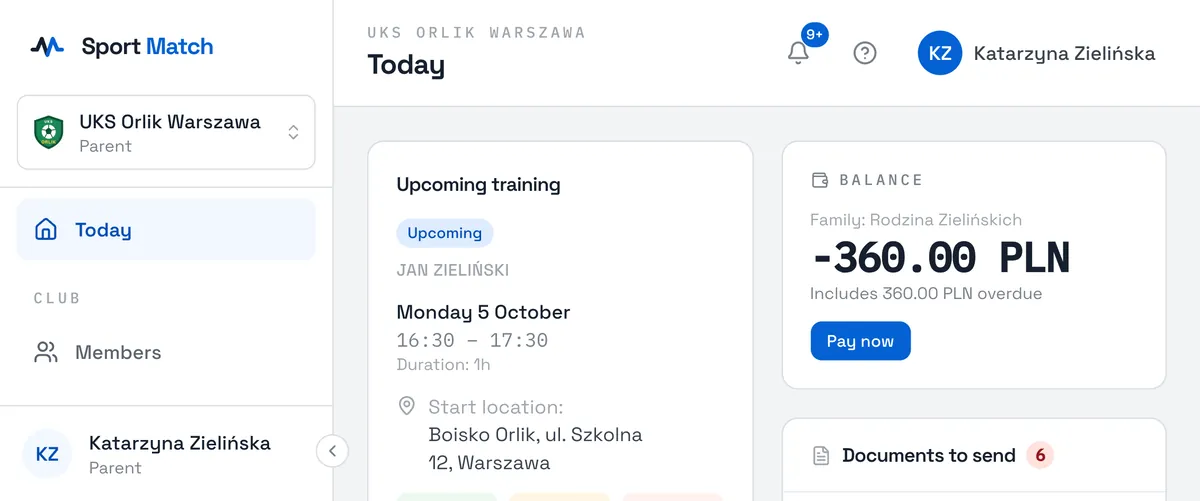
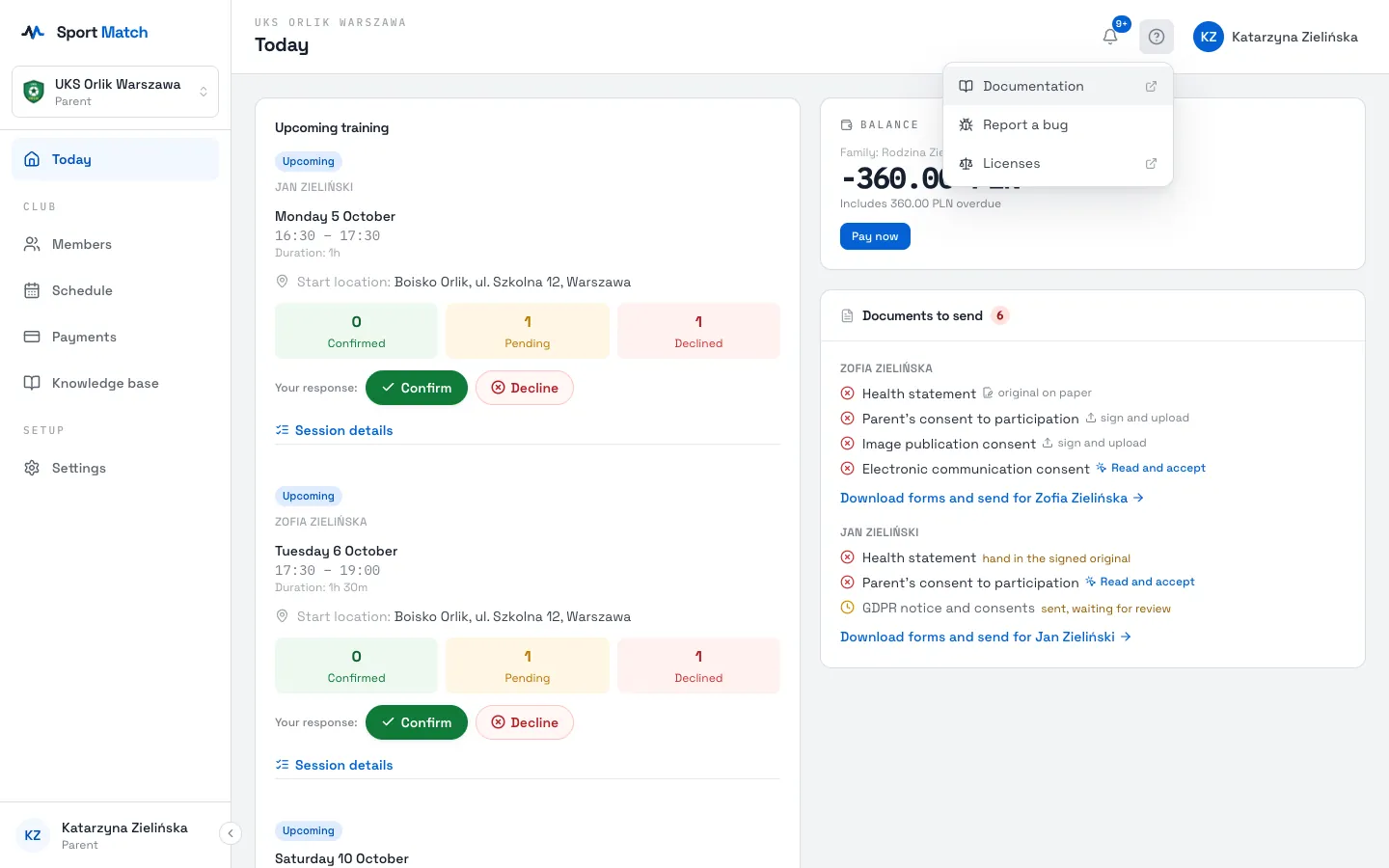
After you log in you land on Today. Its cards show:
- Upcoming training — the next sessions for you and your children, with the place, the time and Confirm / Decline buttons;
- Today’s schedule — all of today’s sessions;
- Balance — what is due, with a Pay now button;
- Documents to send — which documents the club still needs from you;
- WhatsApp community — a link or QR code to the club’s group, if the club shares one.
The menu on a computer and a phone
-
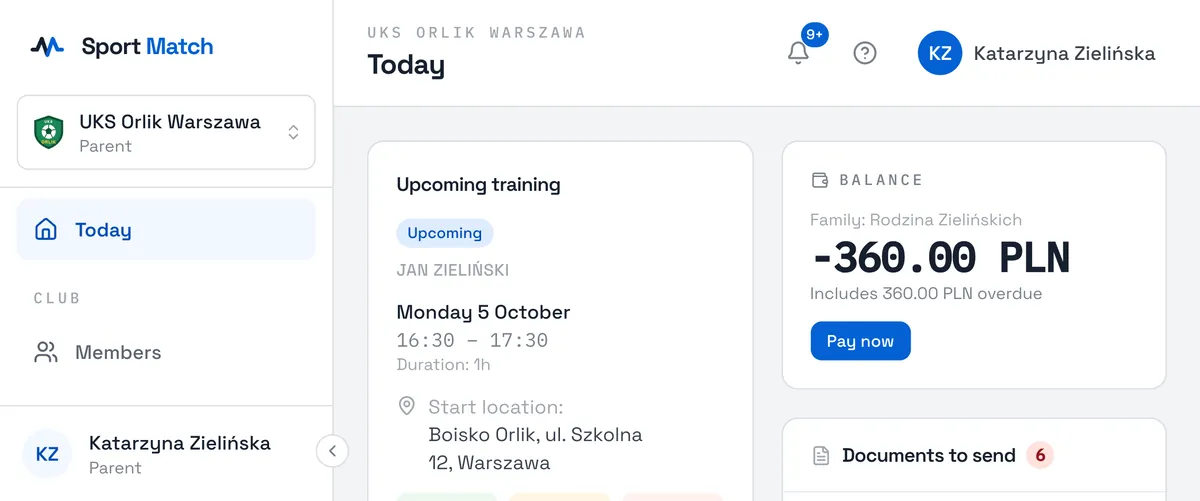
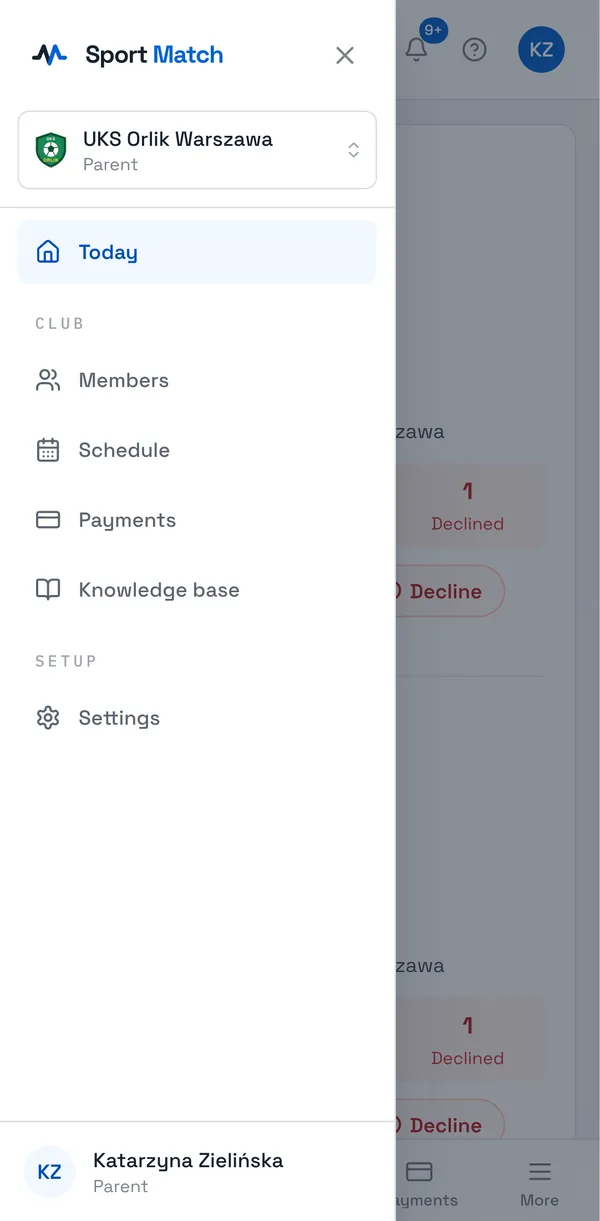
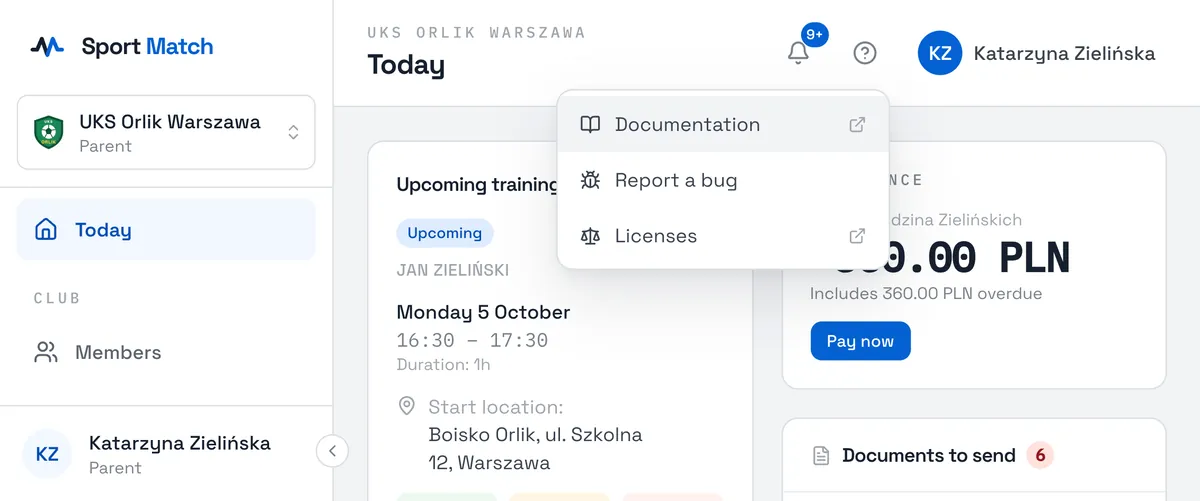
On a computer the menu runs down the left: Today, Members, Schedule, Payments, Knowledge base and Settings. The arrow at its bottom edge collapses it.
-
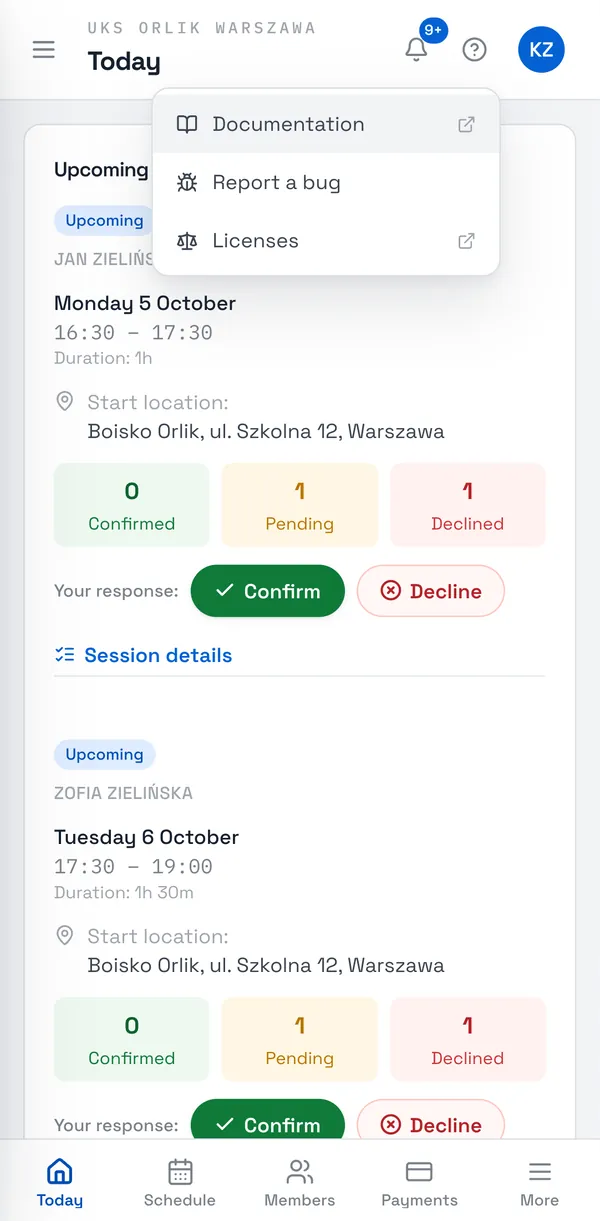
On a phone the most used items are in the bar along the bottom. Everything else — the knowledge base, settings, the club picker and your account — is under More.
-
Along the top you always have the notification bell, the question mark for help, and your name (initials on a phone), which opens your account menu.
Several clubs on one account
Belong to more than one club? The active club’s name sits at the top of the menu, with your role there underneath. Click it to see all your clubs and pick the one to open. On a phone it’s under More.
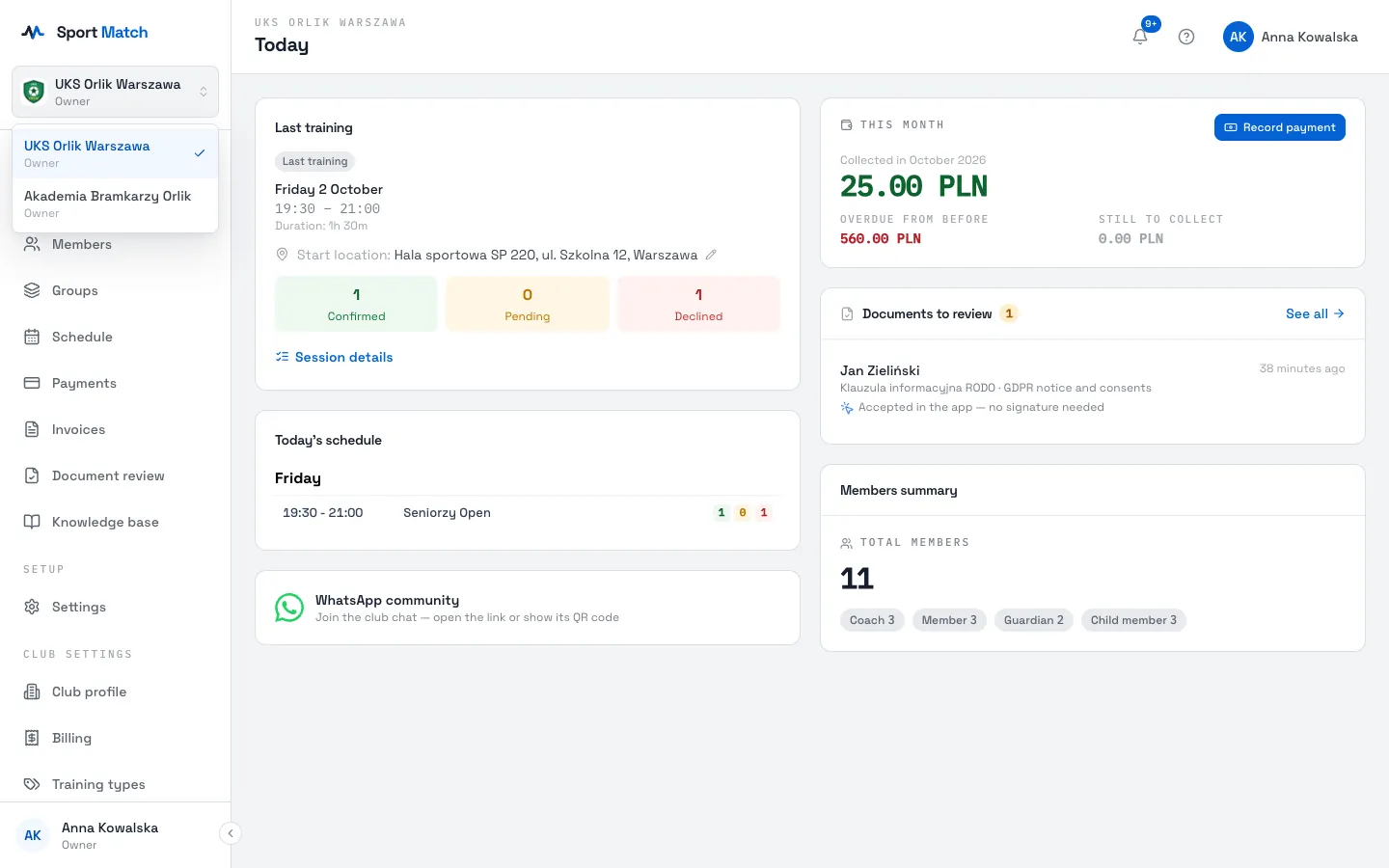
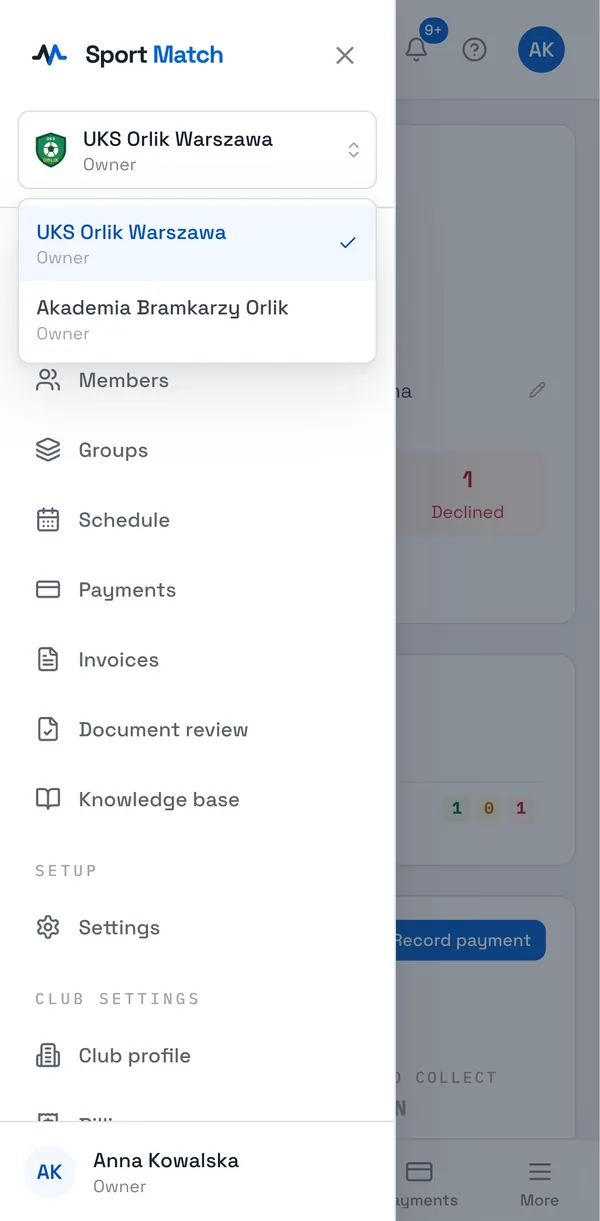
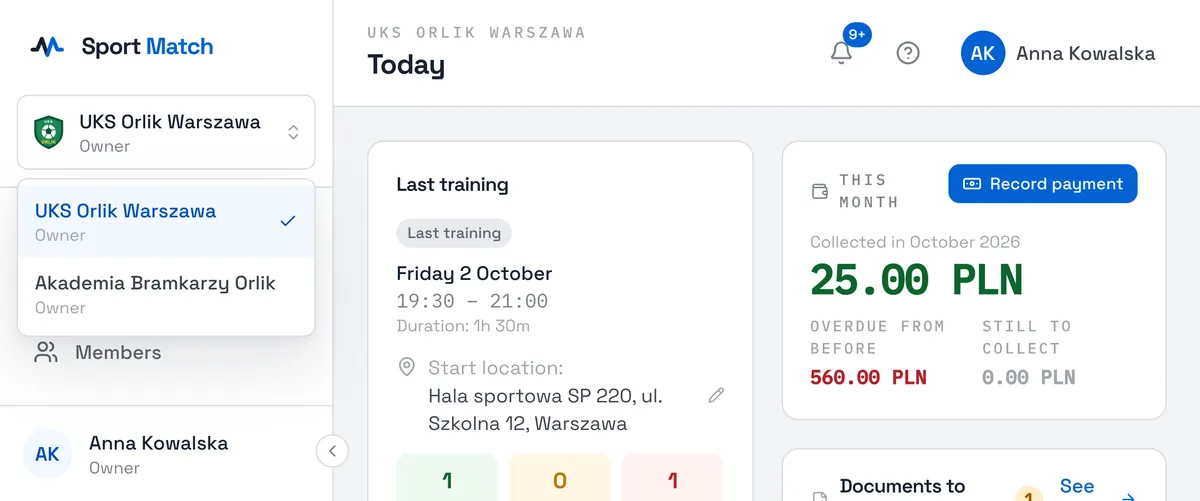
Tip: Notifications from every club land in the same bell. Clicking one opens it in the right club straight away.
Help
The question mark in the top-right corner opens the help menu: Documentation leads to these pages, Chat with us opens a chat with the Sport Match team, and Report a bug lets you send us a screenshot or a recording of a problem. Details in Getting support and reporting a bug.
Didn’t find an answer?
Write to us in the chat — it opens on this page, no login needed — or email contact@sportmatch.pl.