Install Sport Match on your phone
Sport Match works in the browser, but installed on your home screen it opens full screen with one tap — and on iPhone, notifications only work in the installed app. It takes under a minute and needs no app store.
Your browser
Detected automatically — pick another if it’s wrong.
Screen
Safari · iOS 27
-
Tap the page menu button ≡ at the left end of the address bar, at the bottom of the screen.
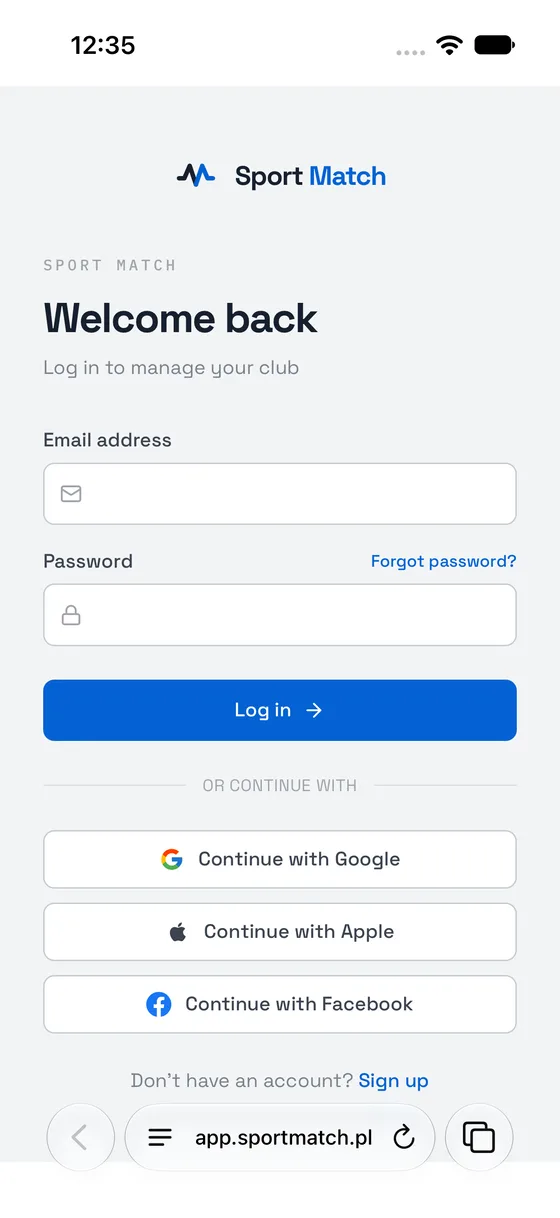
-
Tap Share.
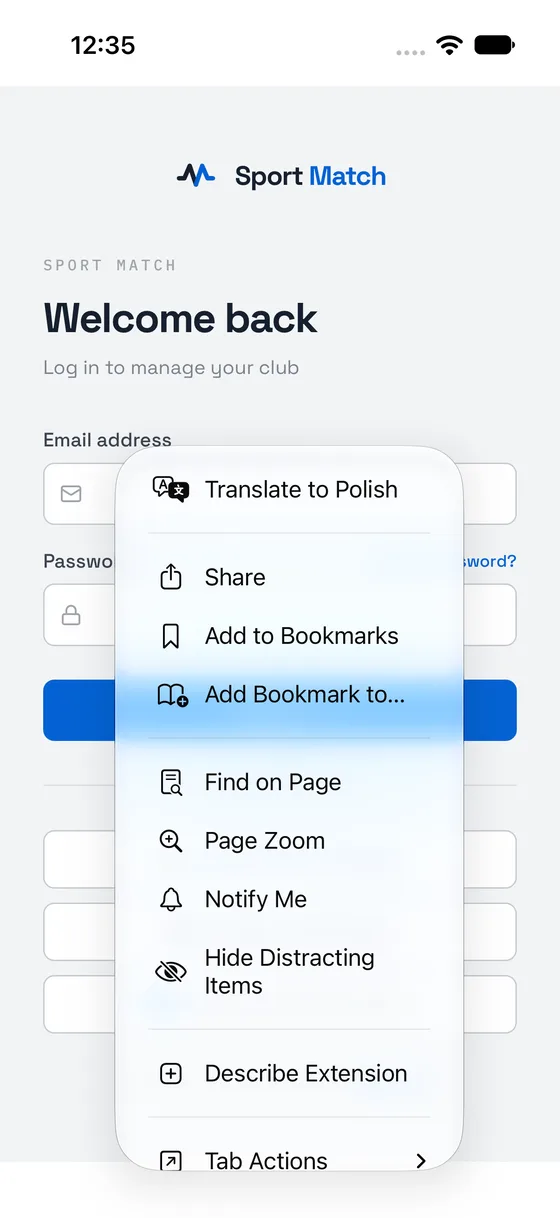
-
Tap View More.
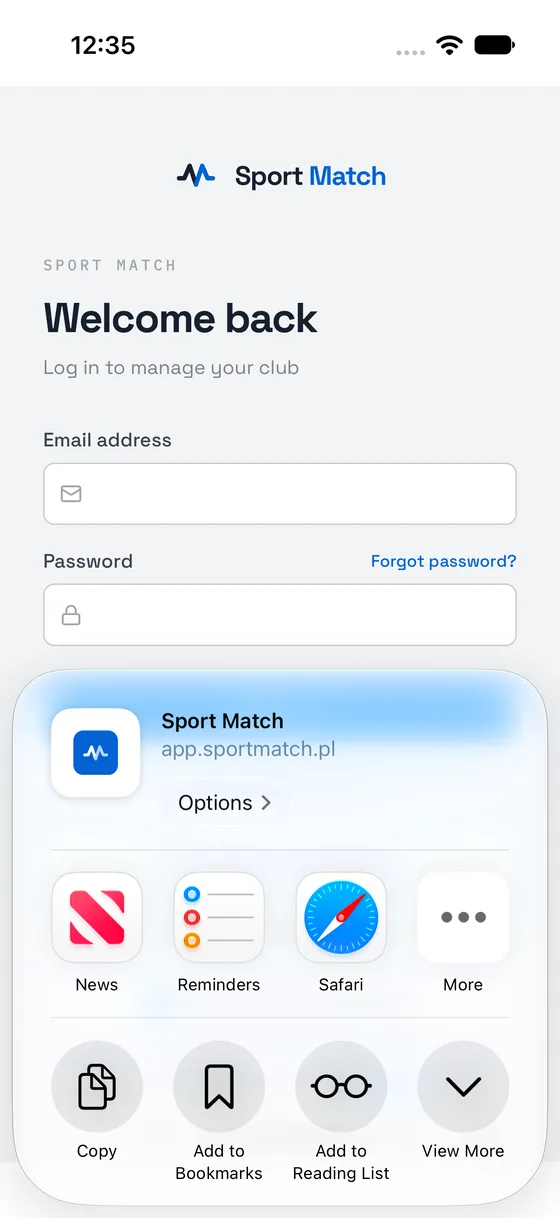
-
Tap Add to Home Screen.
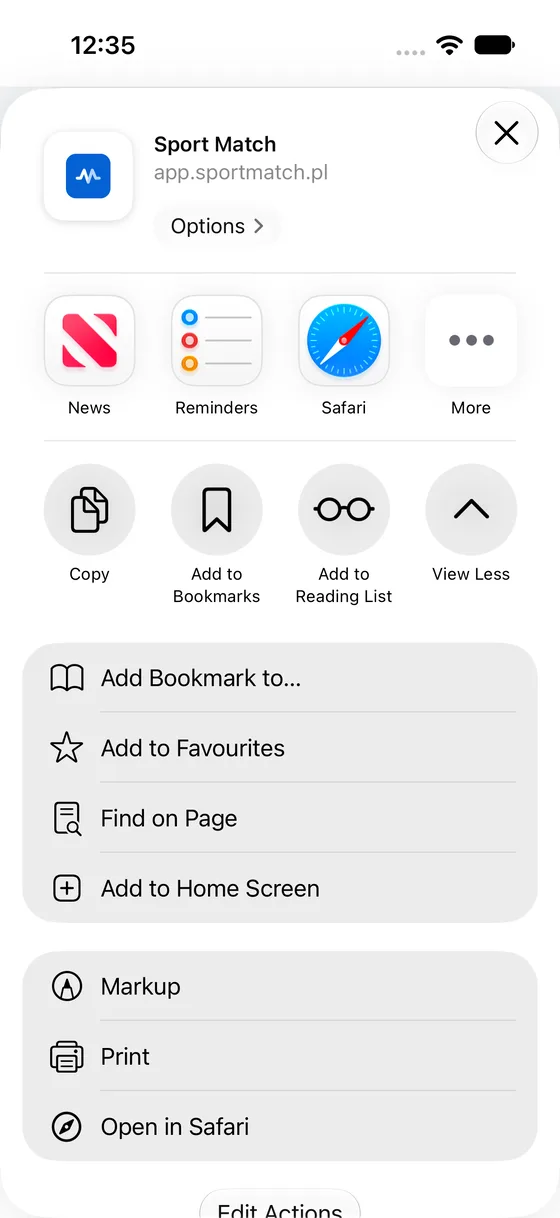
-
Leave Open as Web App switched on and tap Add.
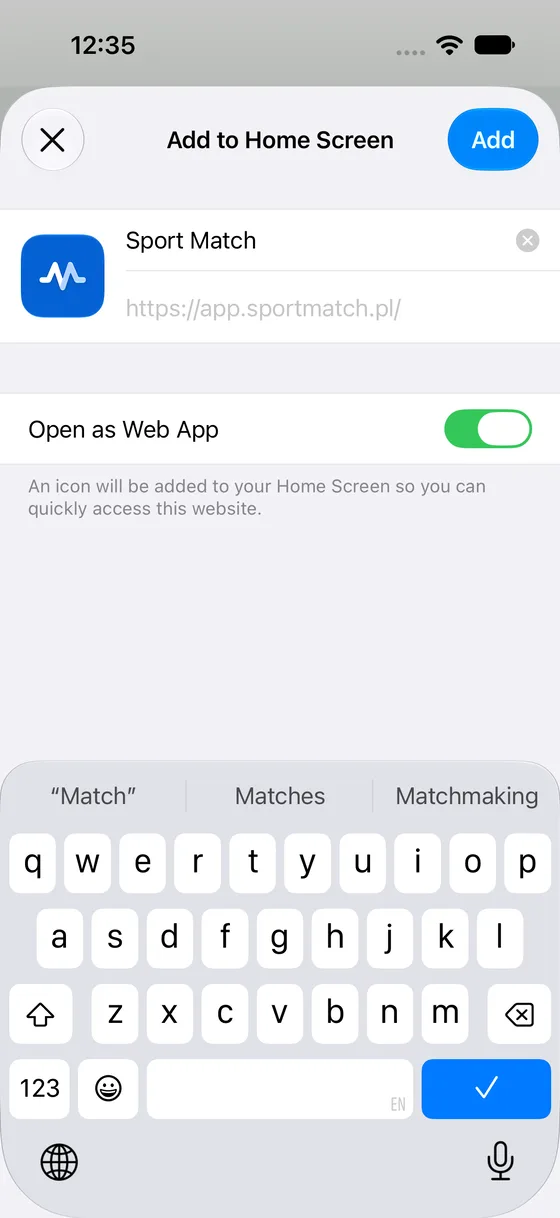
-
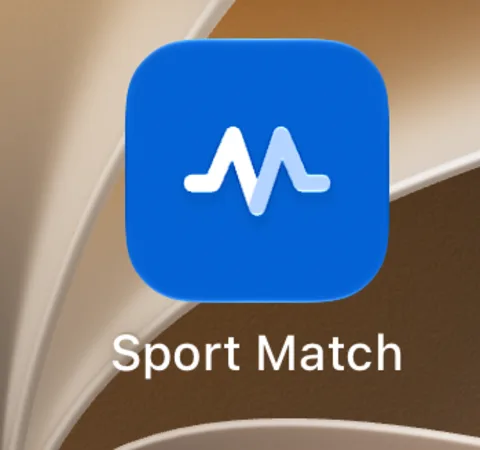
Sport Match is on your home screen. Open it from there from now on.
-
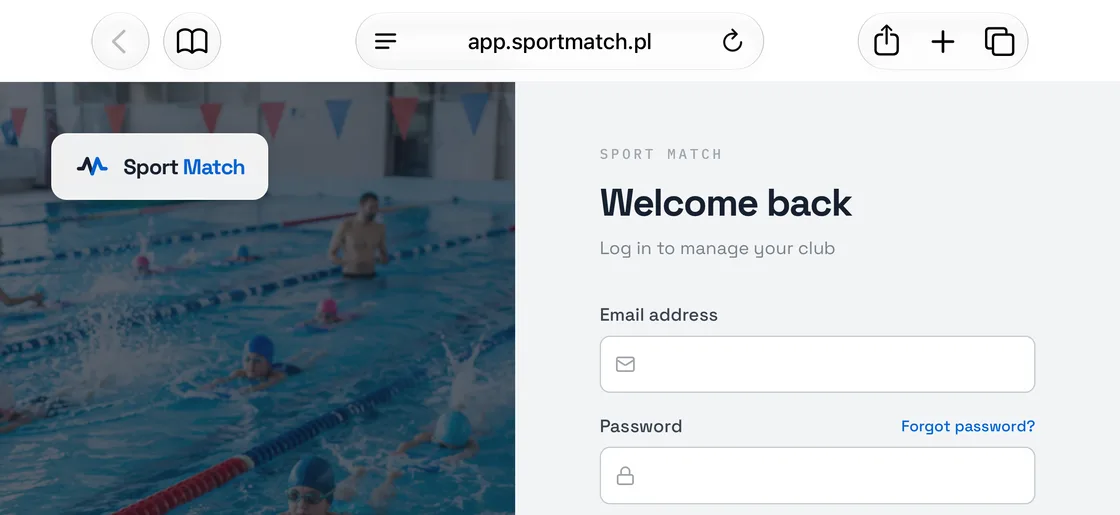
Tap Share in the toolbar at the top of the screen.
-
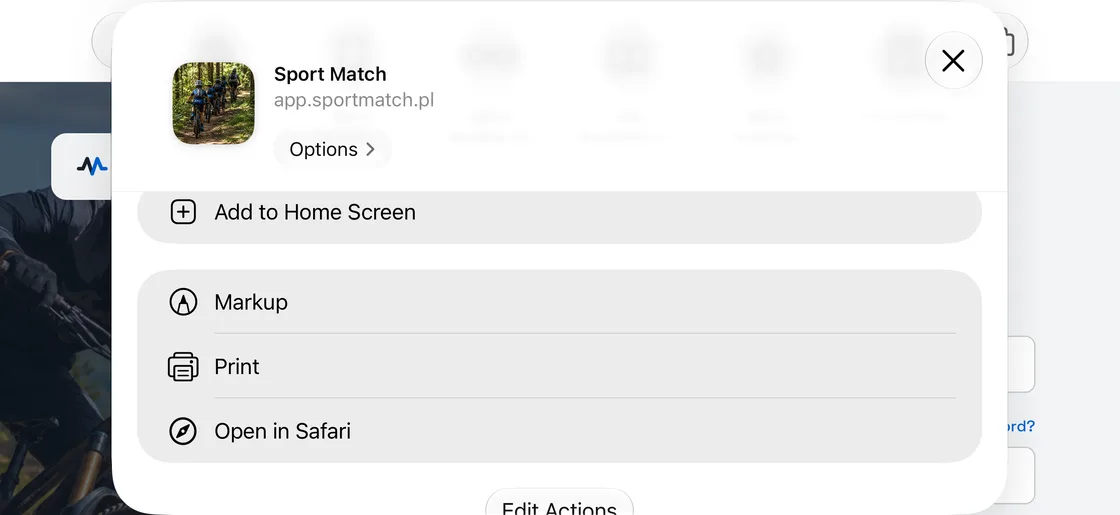
Tap Add to Home Screen.
-
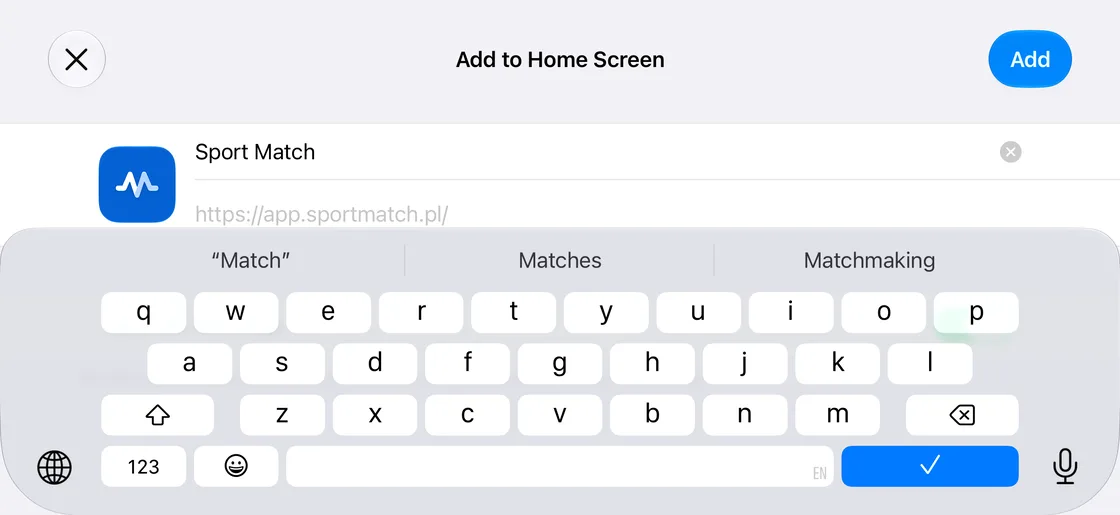
Tap Add in the top-right corner. (Open as Web App, hidden under the keyboard here, is on by default — leave it on.)
-
Sport Match is on your home screen. Open it from there from now on.
Safari · iOS 26
-
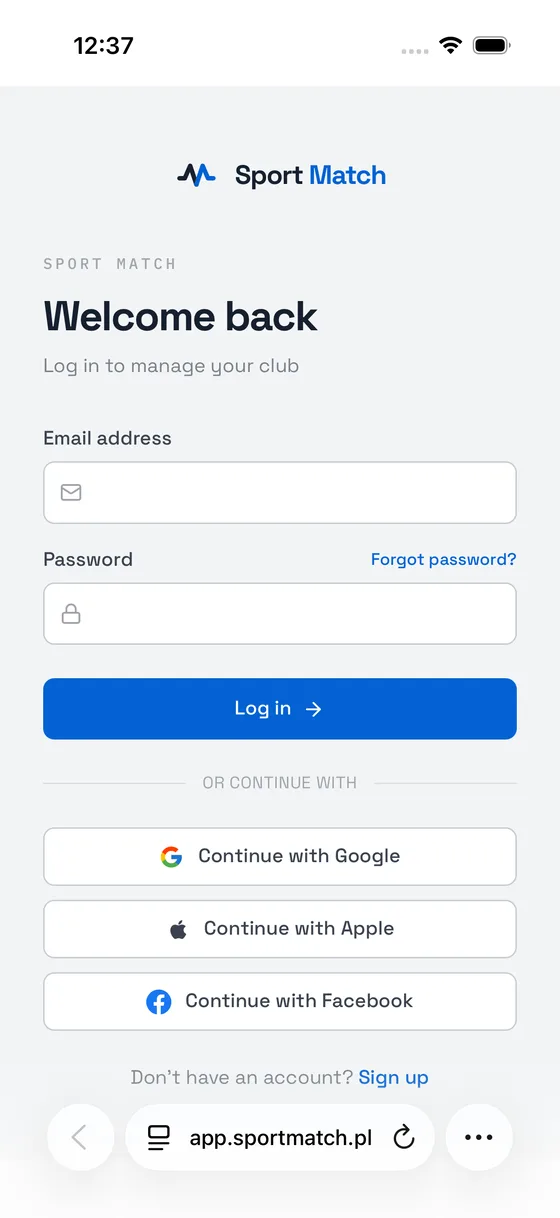
Tap ⋯ at the bottom right of the screen.
-
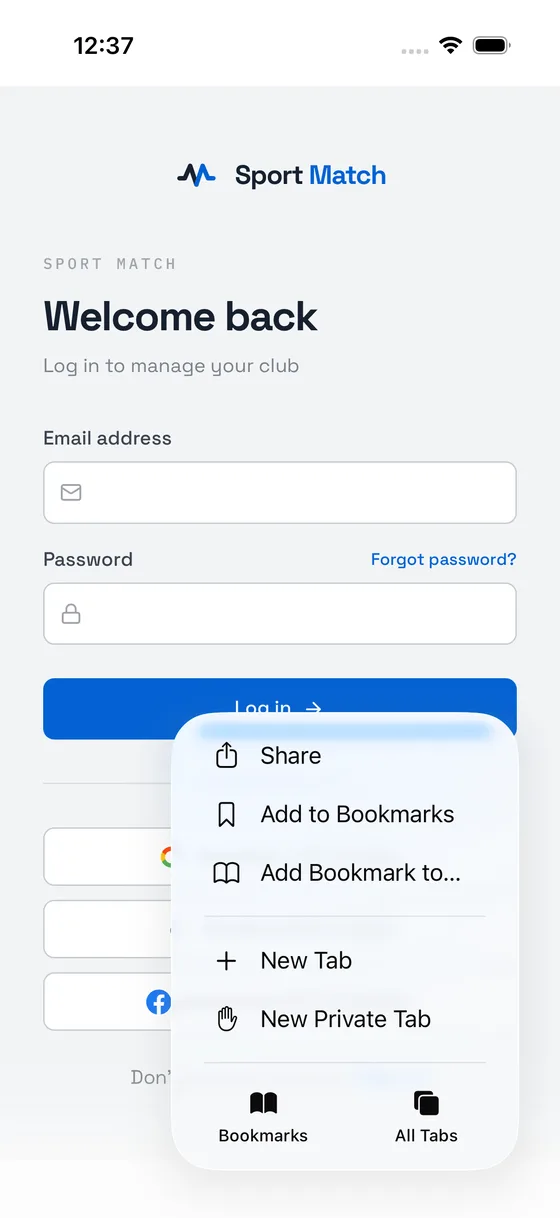
Tap Share.
-
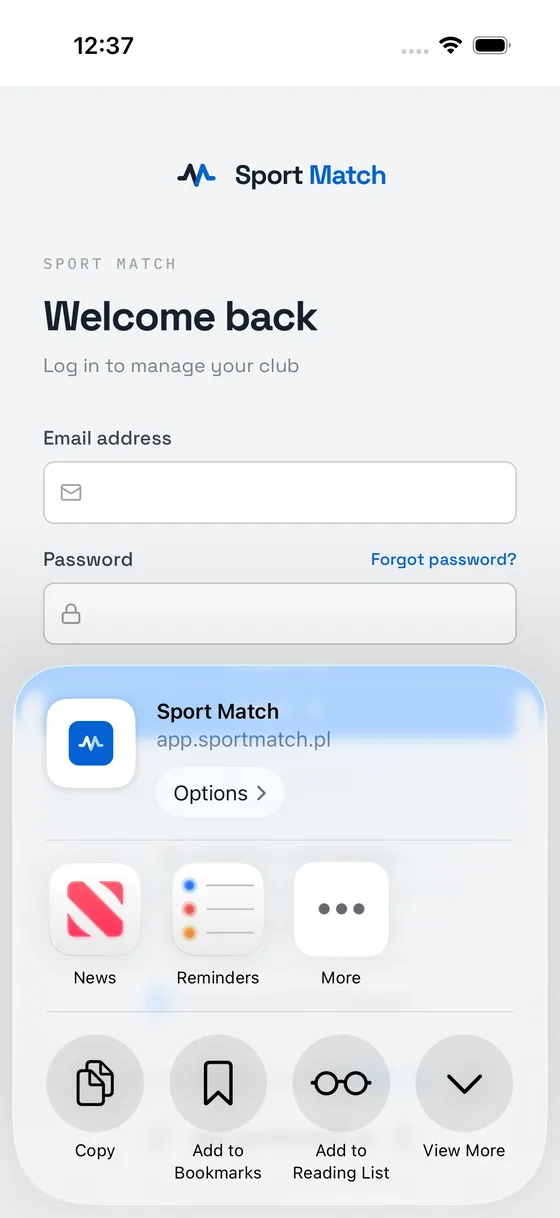
Tap View More.
-
Tap Add to Home Screen.
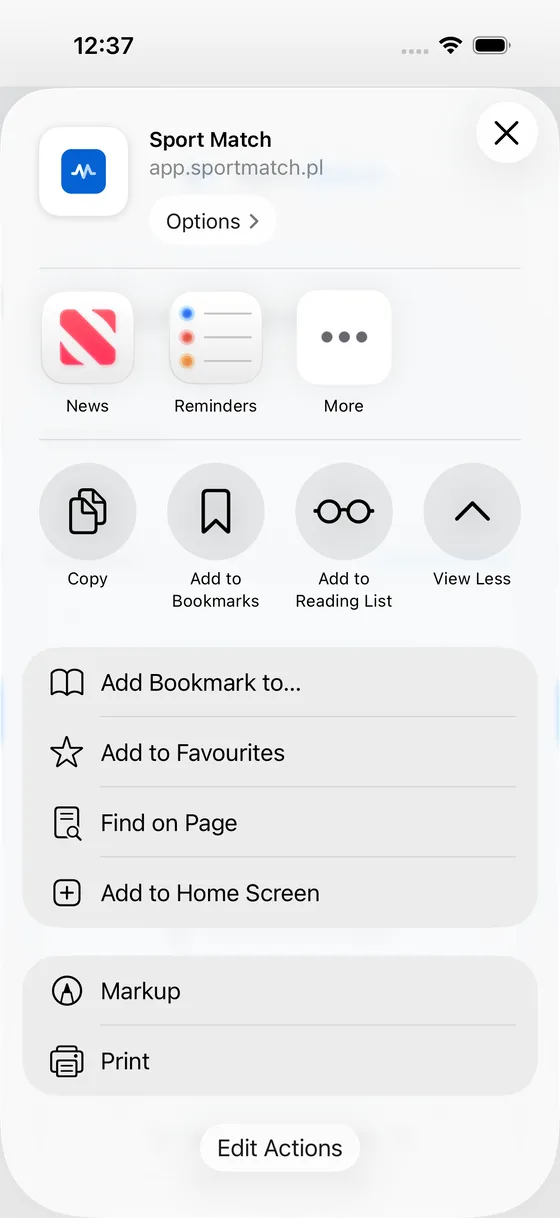
-
Leave Open as Web App switched on and tap Add.
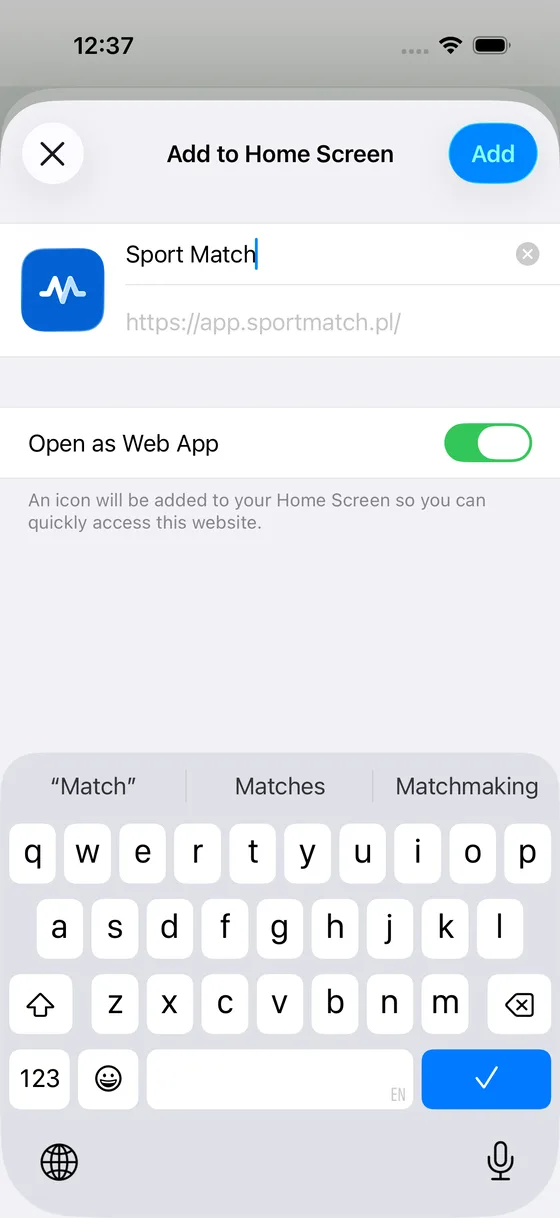
-
Sport Match is on your home screen. Open it from there from now on.
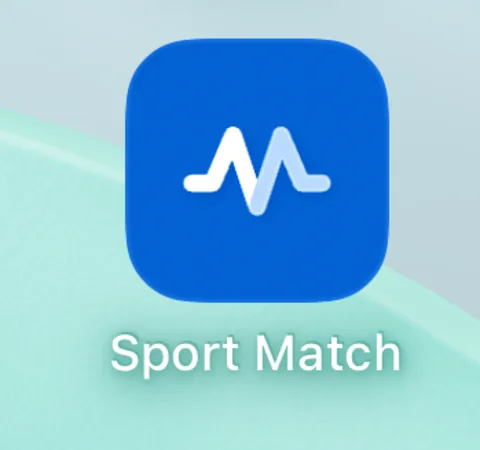
-
Tap Share in the toolbar at the top of the screen.
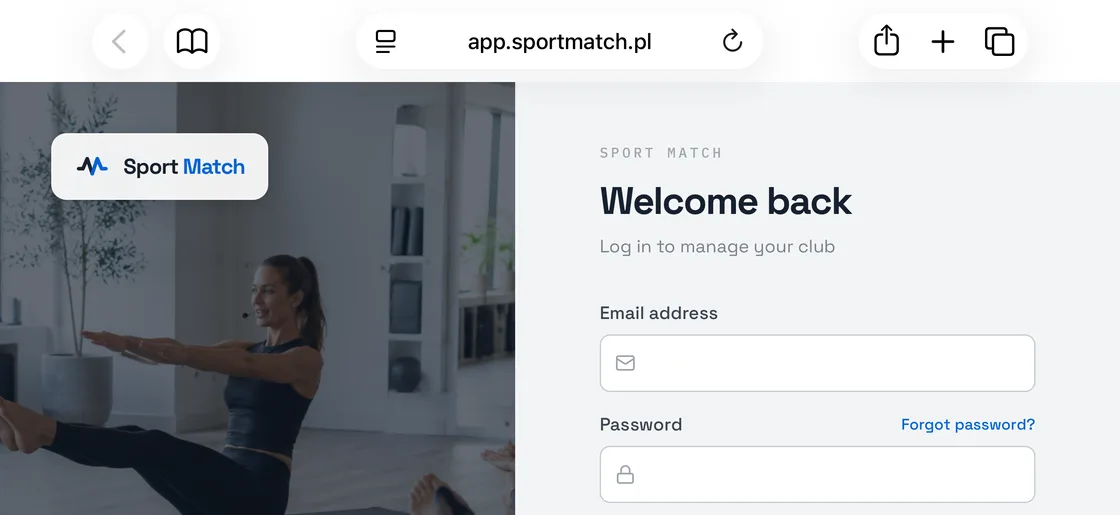
-
Tap Add to Home Screen.
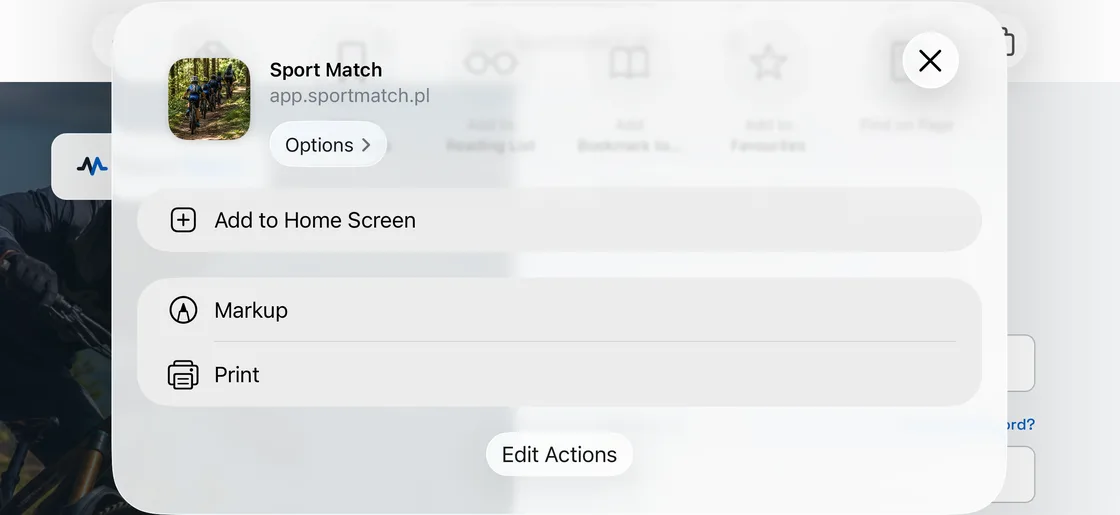
-
Tap Add in the top-right corner. (Open as Web App, hidden under the keyboard here, is on by default — leave it on.)
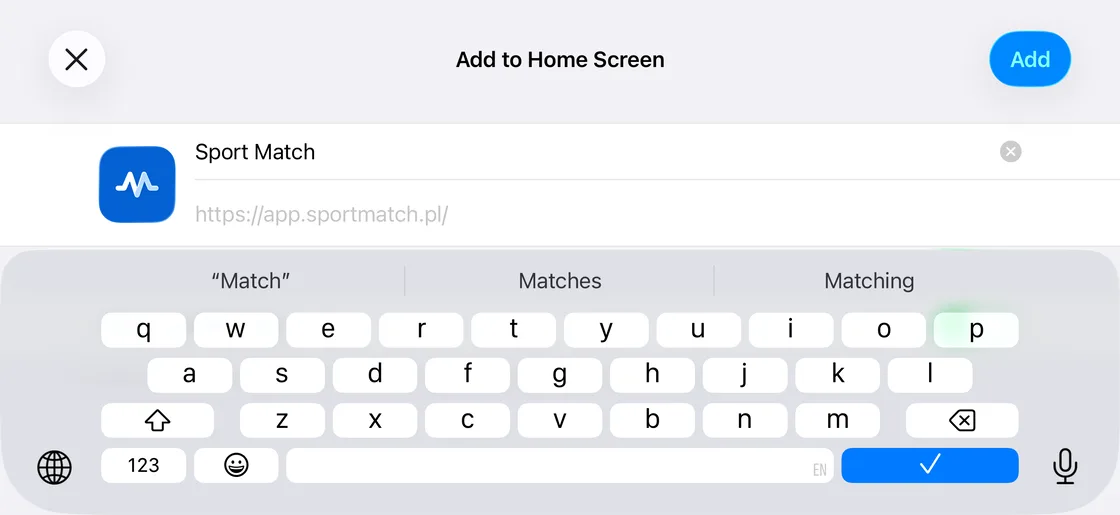
-
Sport Match is on your home screen. Open it from there from now on.
Safari · iOS 18 and older
-
Tap Share in the toolbar at the bottom of the screen.
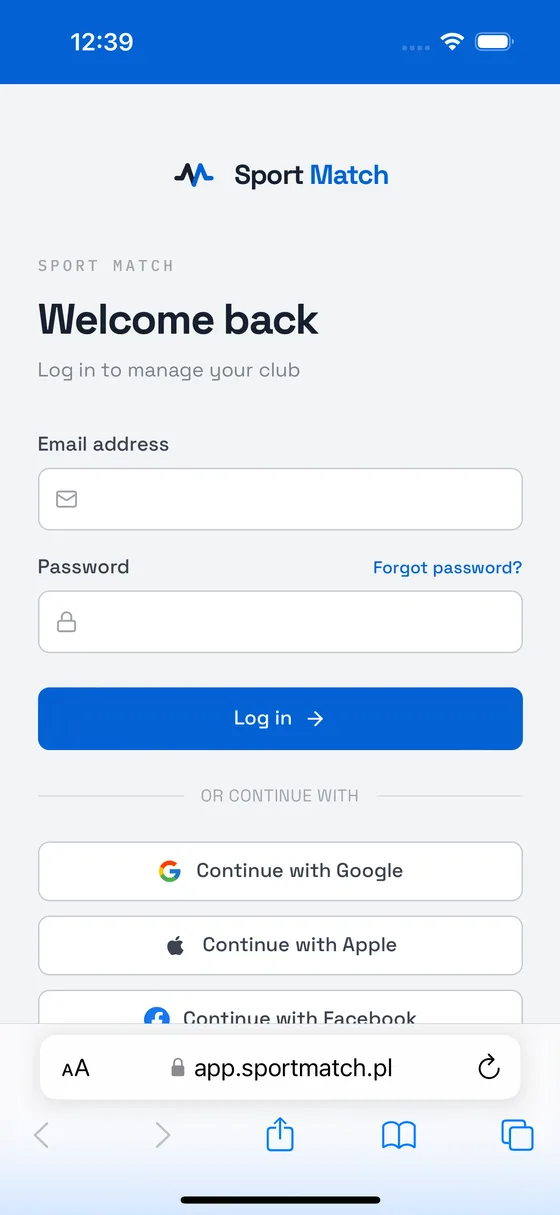
-
Scroll down and tap Add to Home Screen.
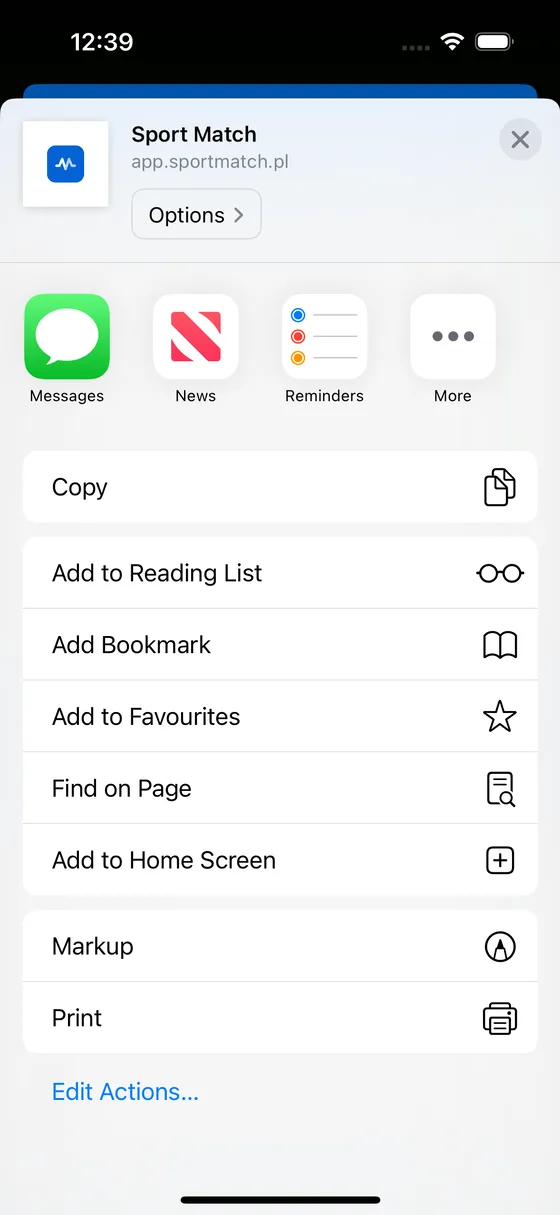
-
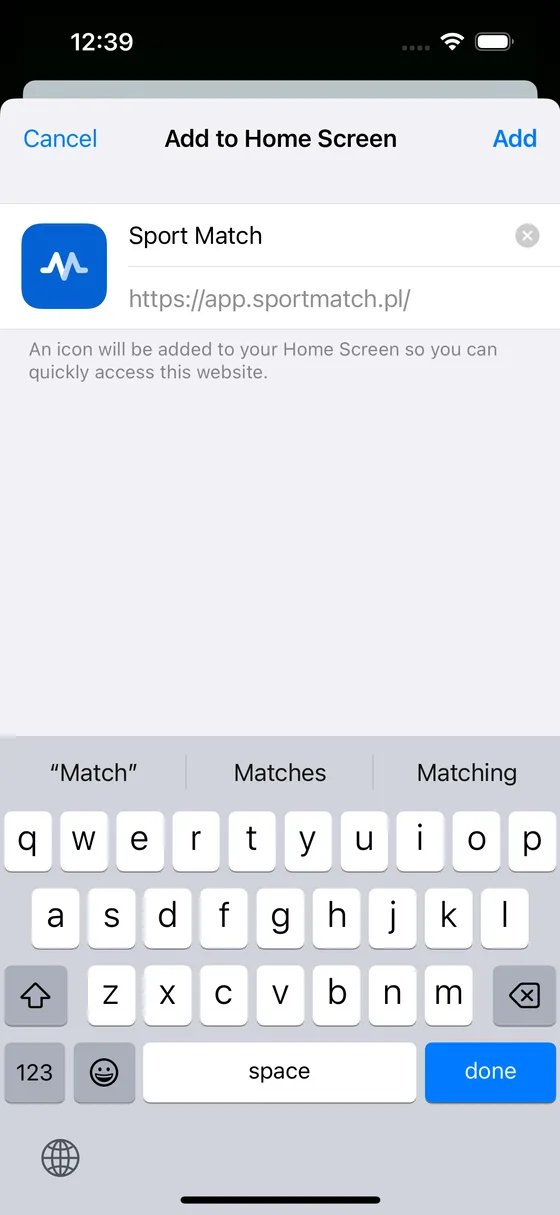
Tap Add in the top-right corner.
-
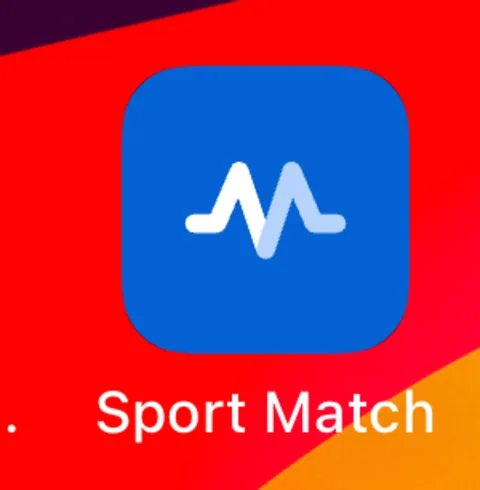
Sport Match is on your home screen. Open it from there from now on.
-
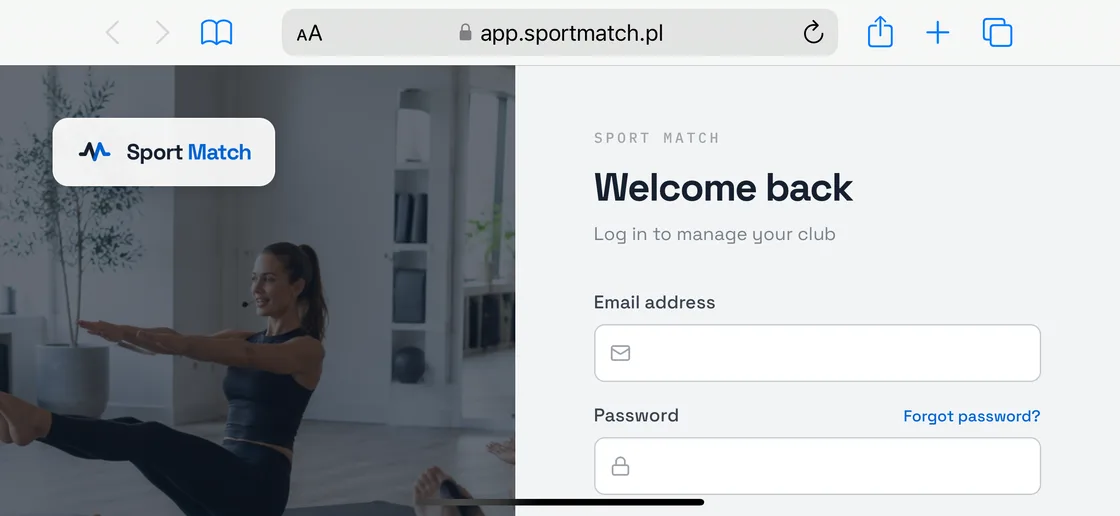
Tap Share in the toolbar at the top of the screen.
-
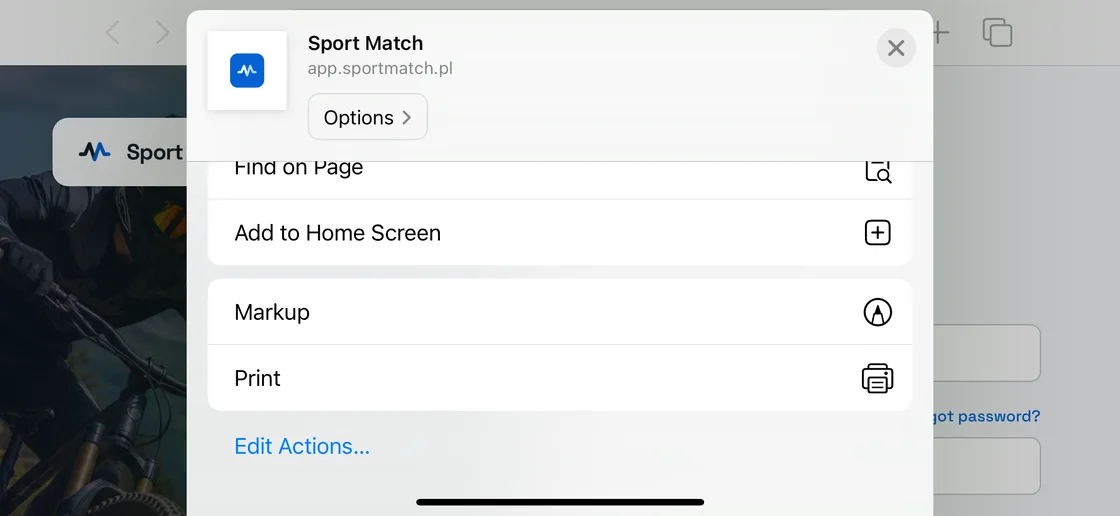
Scroll down and tap Add to Home Screen.
-
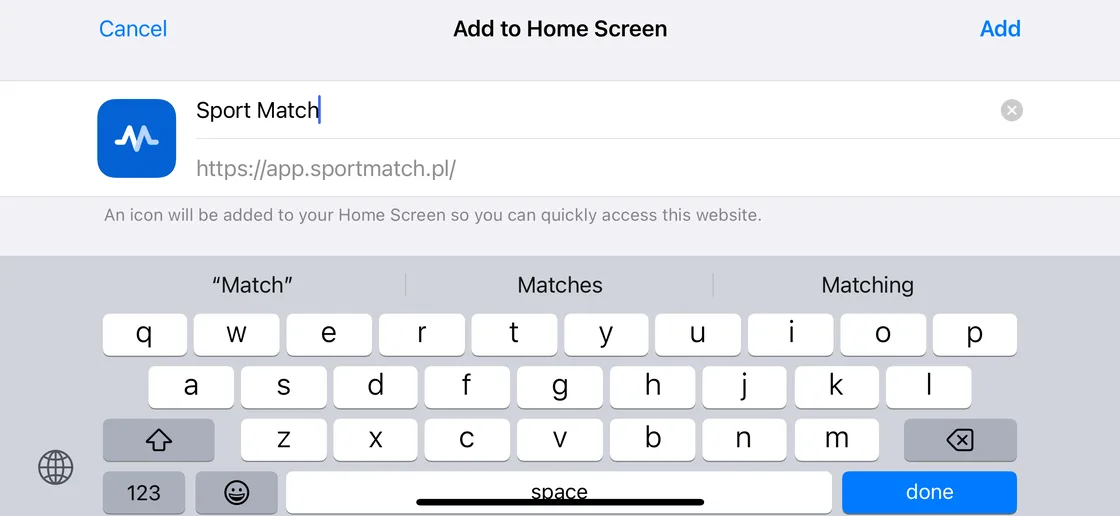
Tap Add in the top-right corner.
-
Sport Match is on your home screen. Open it from there from now on.
Chrome, Edge or Firefox · iPhone
-
Tap Share. In Chrome it is at the right end of the address bar; in Edge and Firefox open the menu first.
-
Tap Add to Home Screen — under View More if you don’t see it.
-
Tap Add.
Chrome · Android
-
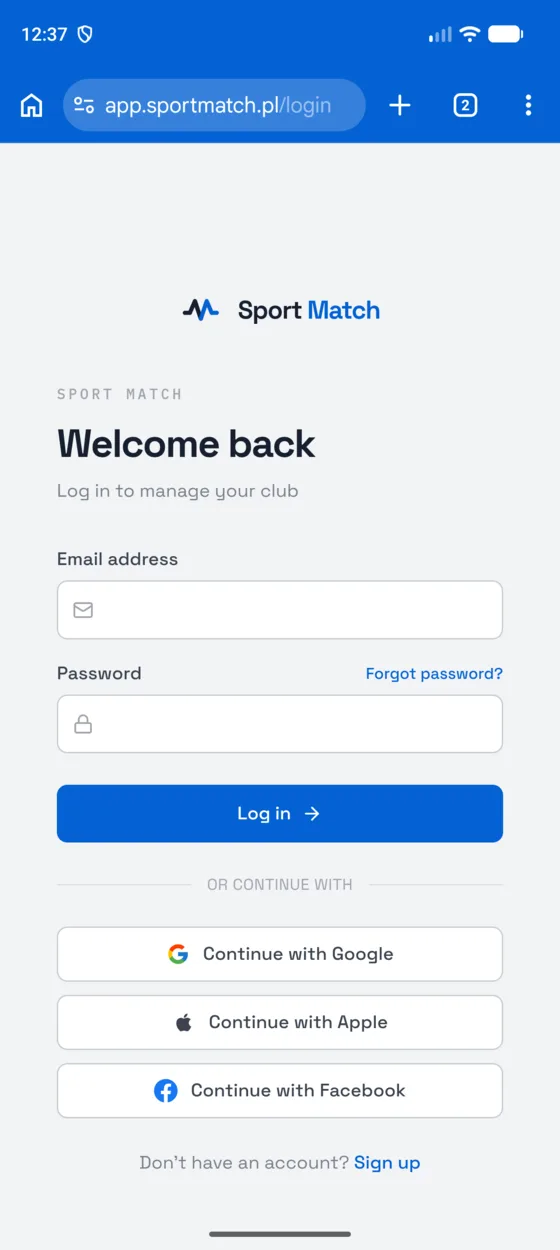
Tap ⋮ in the top-right corner.
-
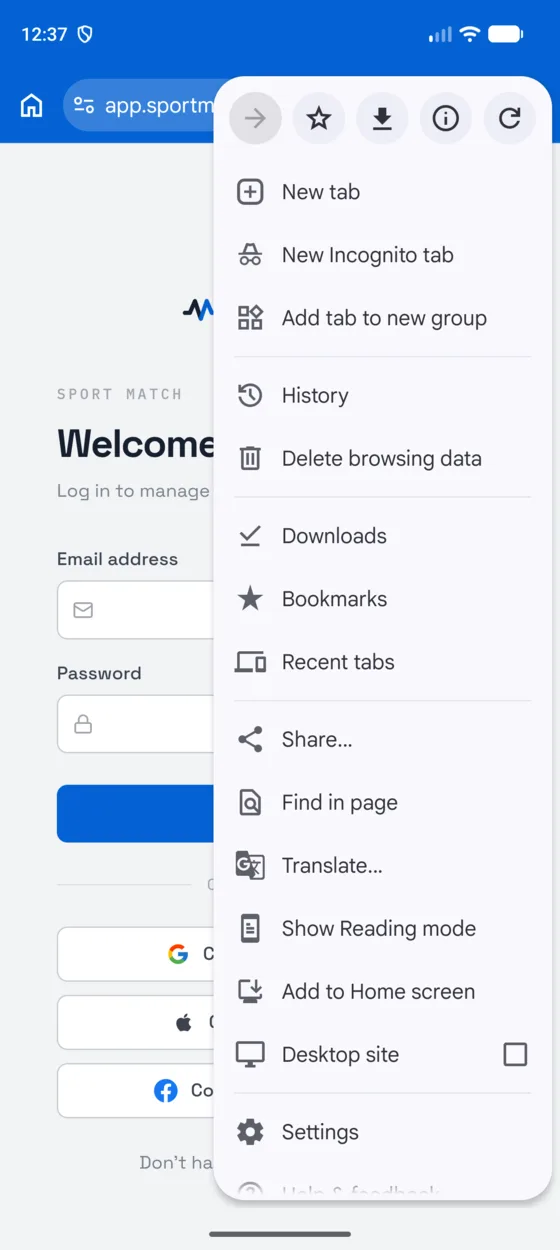
Tap Add to Home screen.
-
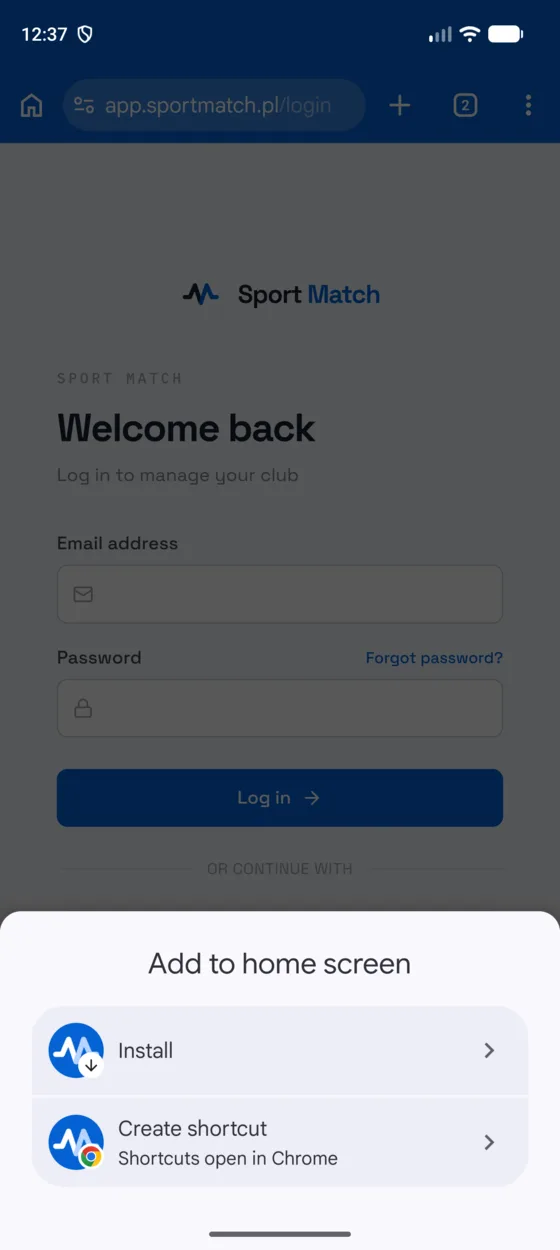
Choose Install — it installs Sport Match as an app, not just a shortcut.
-
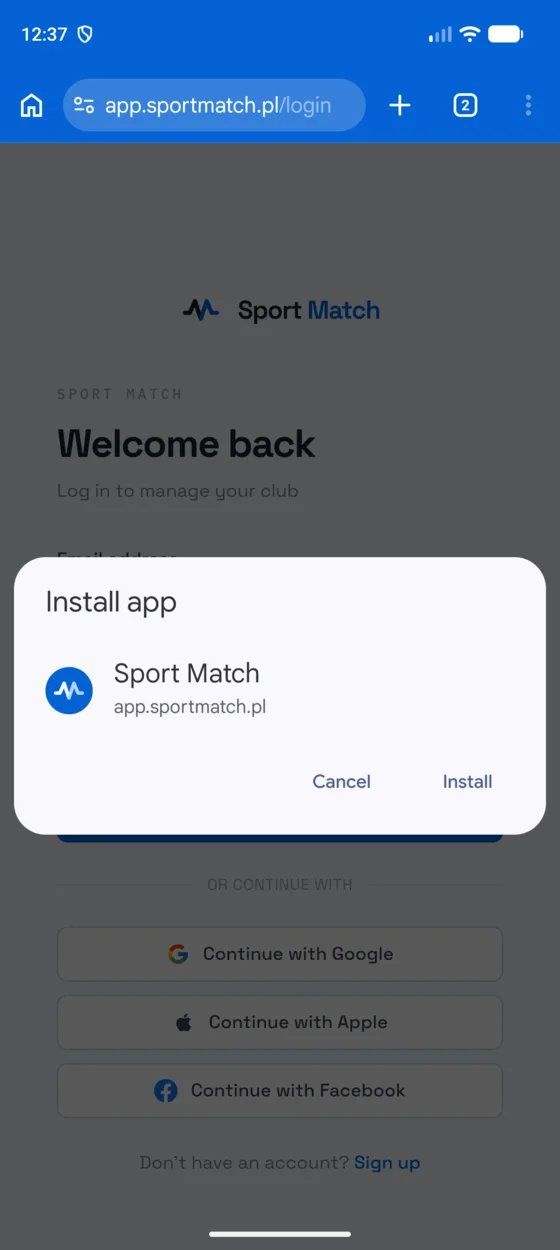
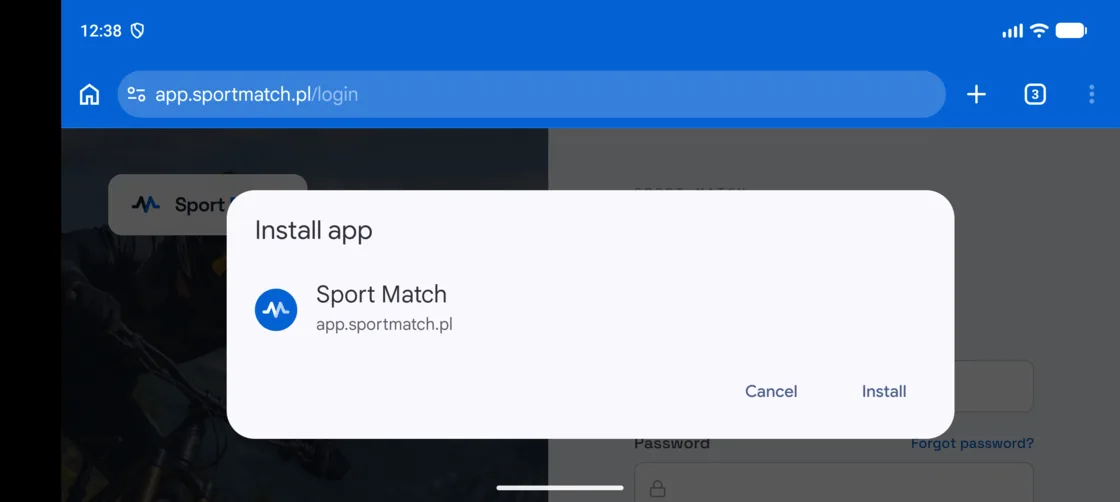
Confirm with Install. The icon appears on your home screen and in the app list.
-
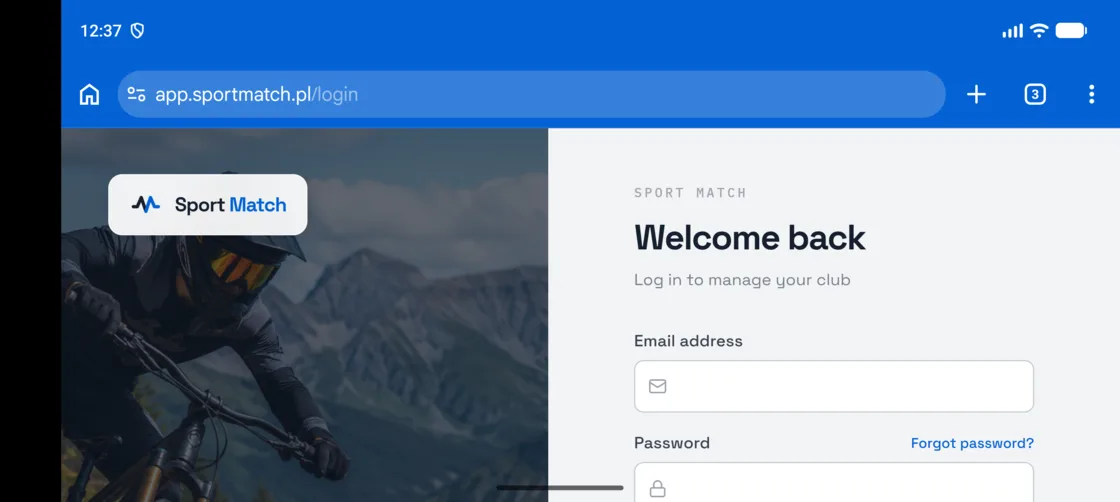
Tap ⋮ in the top-right corner.
-
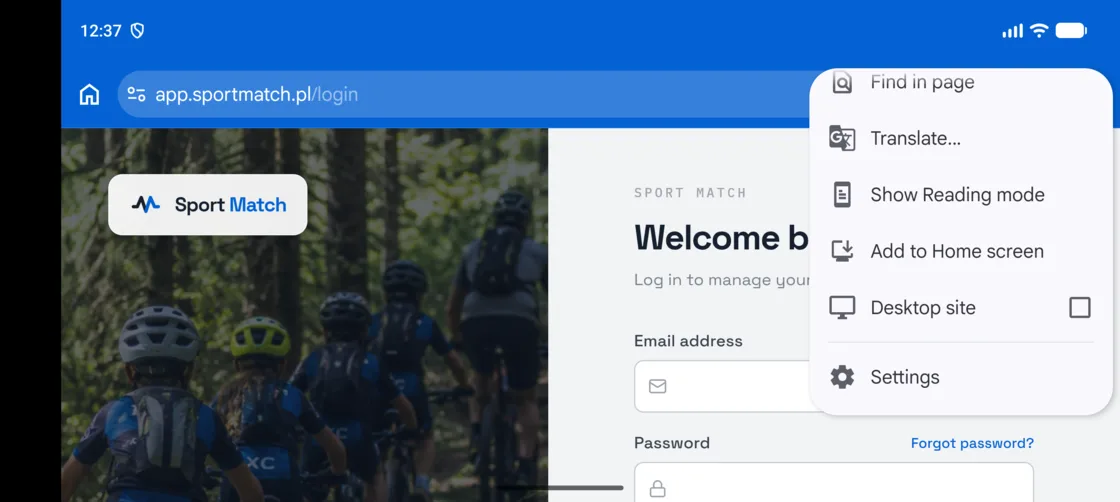
Scroll the menu down and tap Add to Home screen.
-
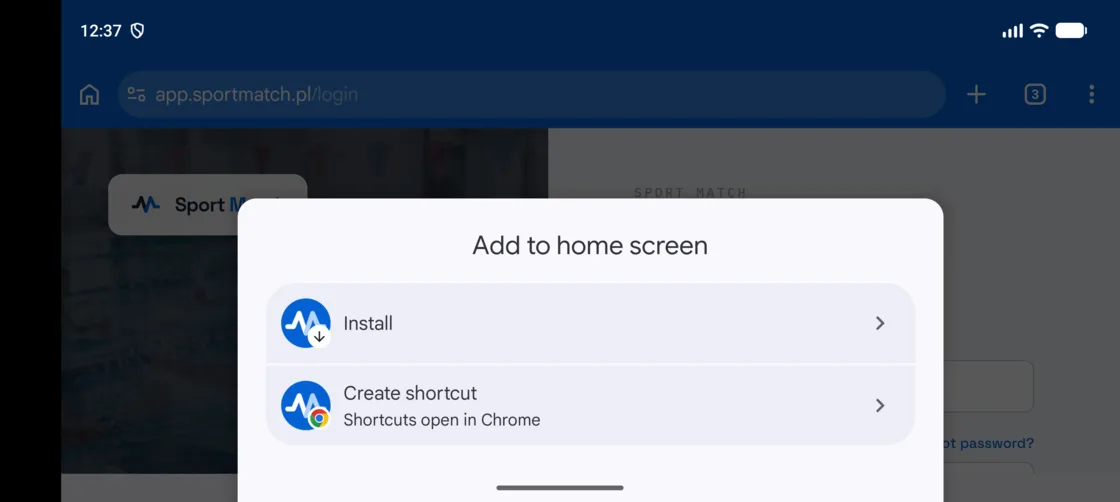
Choose Install — it installs Sport Match as an app, not just a shortcut.
-
Confirm with Install. The icon appears on your home screen and in the app list.
Samsung Internet
-
Tap ≡ in the toolbar at the bottom.
-
Tap Add page to.
-
Choose Home screen and tap Add.
Firefox · Android
-
Tap ⋮ next to the address bar.
-
Tap Add app to Home screen.
-
Tap Add.
Edge · Android
-
Tap ⋯ in the toolbar at the bottom.
-
Tap Add to phone.
-
Tap Install.
Another browser
-
Open your browser’s menu — usually ⋮ or ≡ next to the address bar.
-
Look for Install app or Add to Home screen.
-
Confirm. If there is no such option, open the page in Chrome and follow its guide.
Computer
-
In Chrome or Edge, click the install icon at the right end of the address bar.
-
Click Install. Sport Match opens in its own window.
-
The app is at its best on a phone, though — open app.sportmatch.pl there and pick your phone’s browser above.
Frequently asked questions
I don’t see “Add to Home Screen”
You are probably in an app’s built-in browser — links opened from Facebook, Instagram, Messenger or an email app often are. Open the page in Safari (iPhone) or Chrome (Android) first: the built-in browser’s menu usually has Open in browser.
Notifications don’t arrive on my iPhone
An iPhone only delivers notifications to the installed app (iOS 16.4 or newer). Open Sport Match from its home screen icon, not from Safari, and switch notifications on in your settings there.
How do I know it worked?
Sport Match has its own icon on the home screen and opens without the browser’s address bar.
How do I remove it?
Touch and hold the icon, then choose Remove App (iPhone) or Uninstall (Android). Your account and club data stay as they are.
Didn’t find an answer?
Write to us in the chat — it opens on this page, no login needed — or email contact@sportmatch.pl.