Your Sport Match subscription
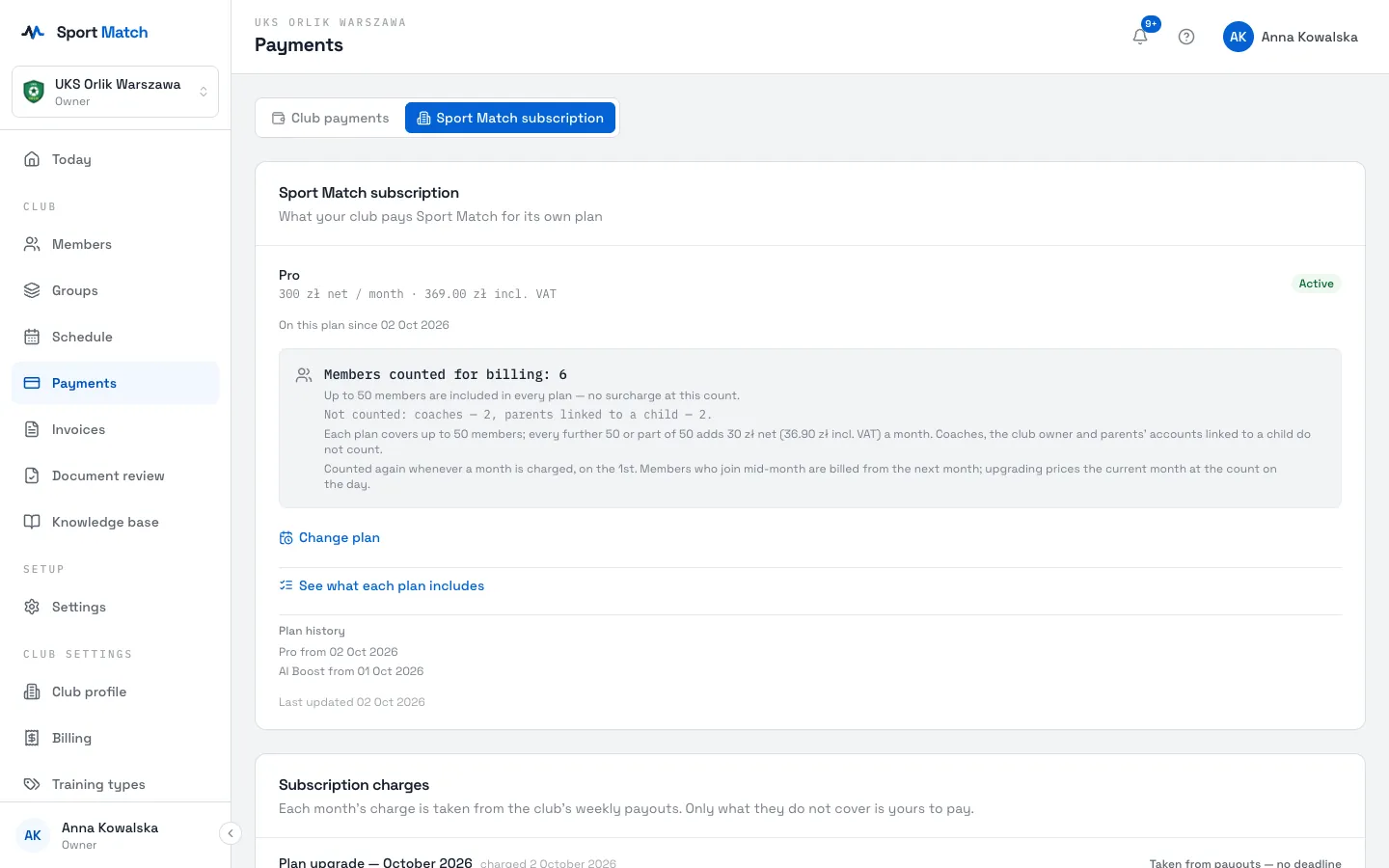
Your club pays Sport Match a monthly subscription on the plan you chose. You pick the plan and pay the first month when setting up your club; after that Sport Match takes each charge from the club’s weekly payouts, and you only pay what they don’t cover. You check and change the plan under Payments.
Screenshots
Your plan
-
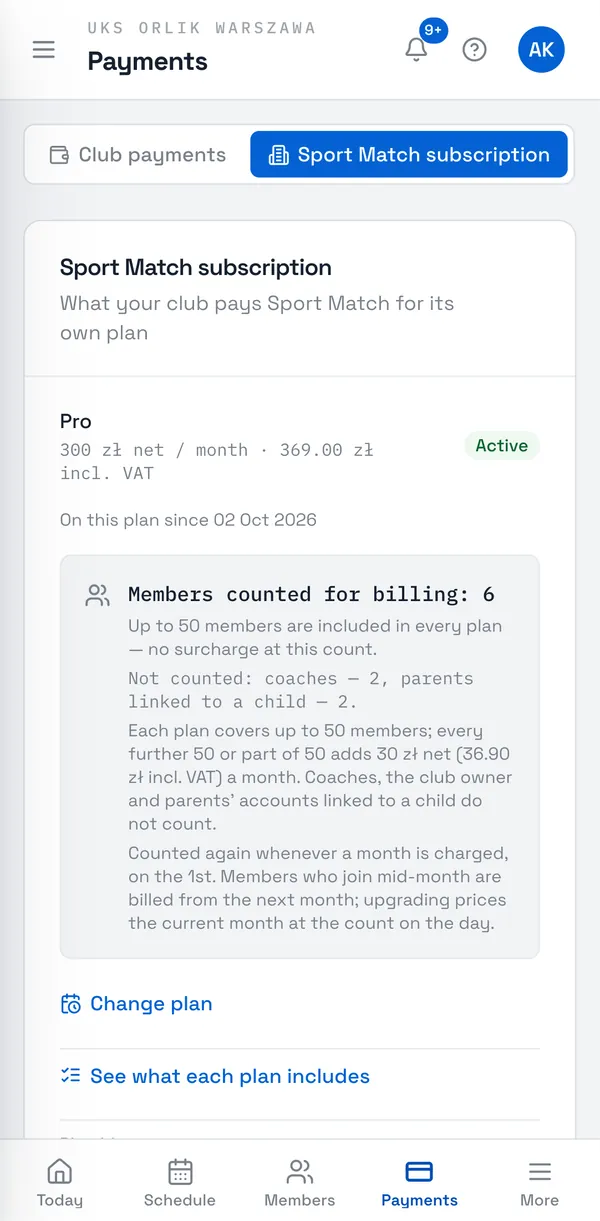
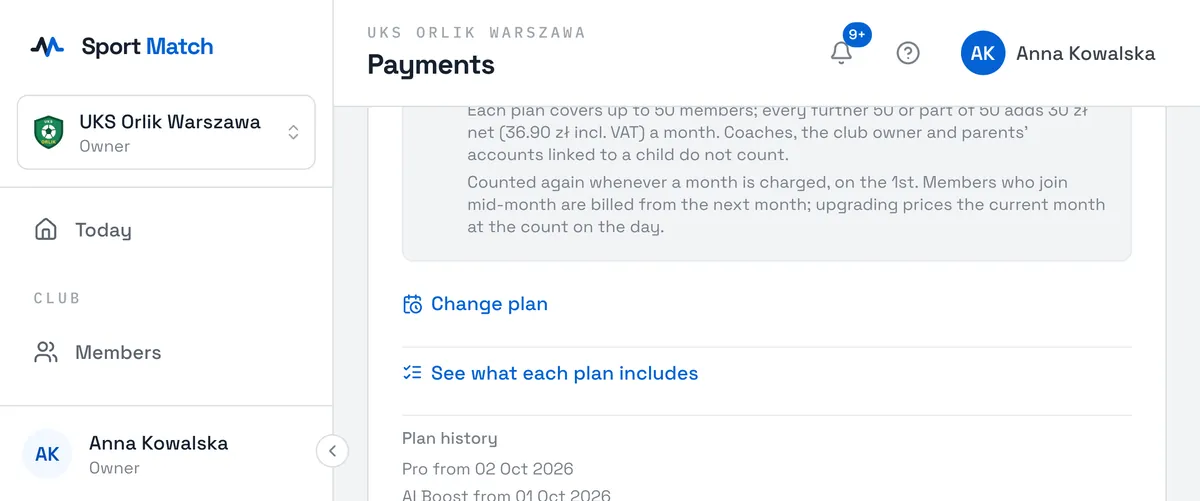
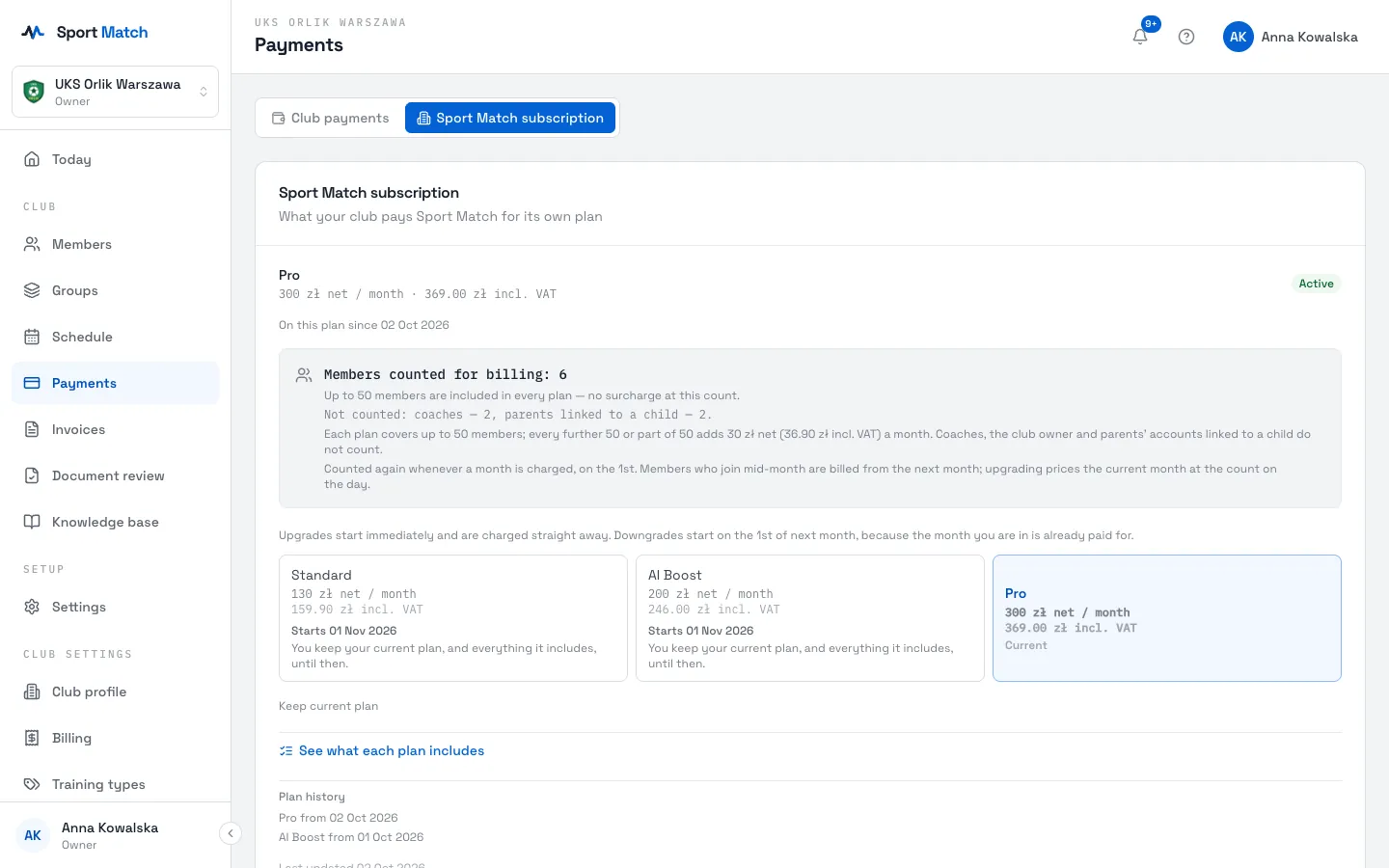
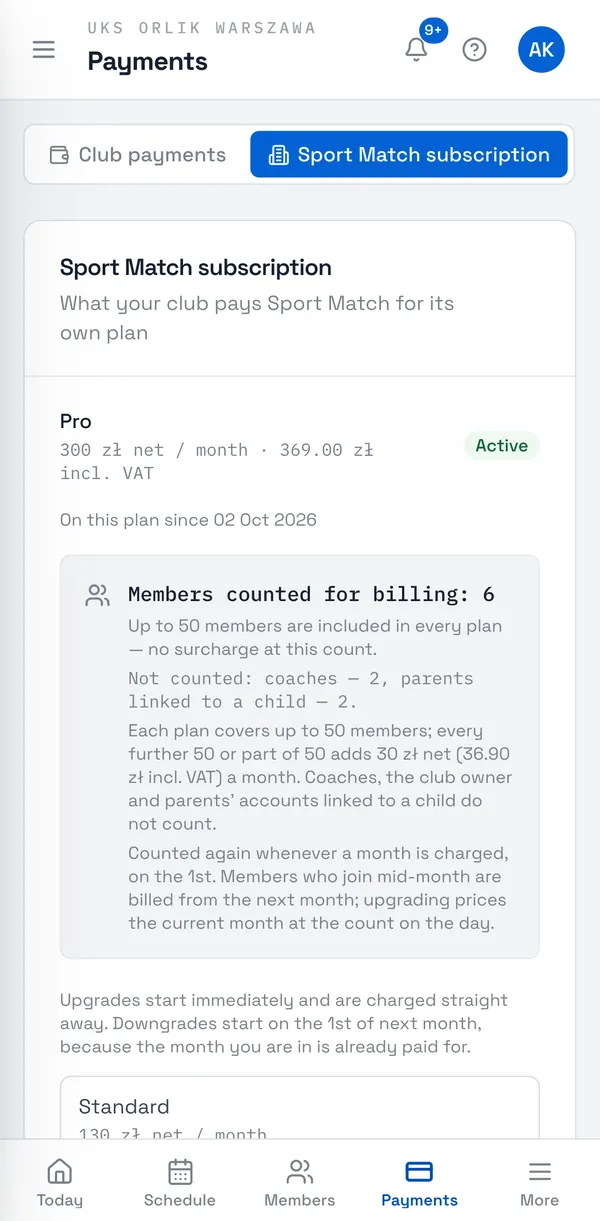
Open Payments and the Sport Match subscription tab. You see the plan, its price, the status (Active) and since when the club has been on it. Below is the list of the club’s payments to Sport Match.
| Plan | Price | What it includes |
|---|---|---|
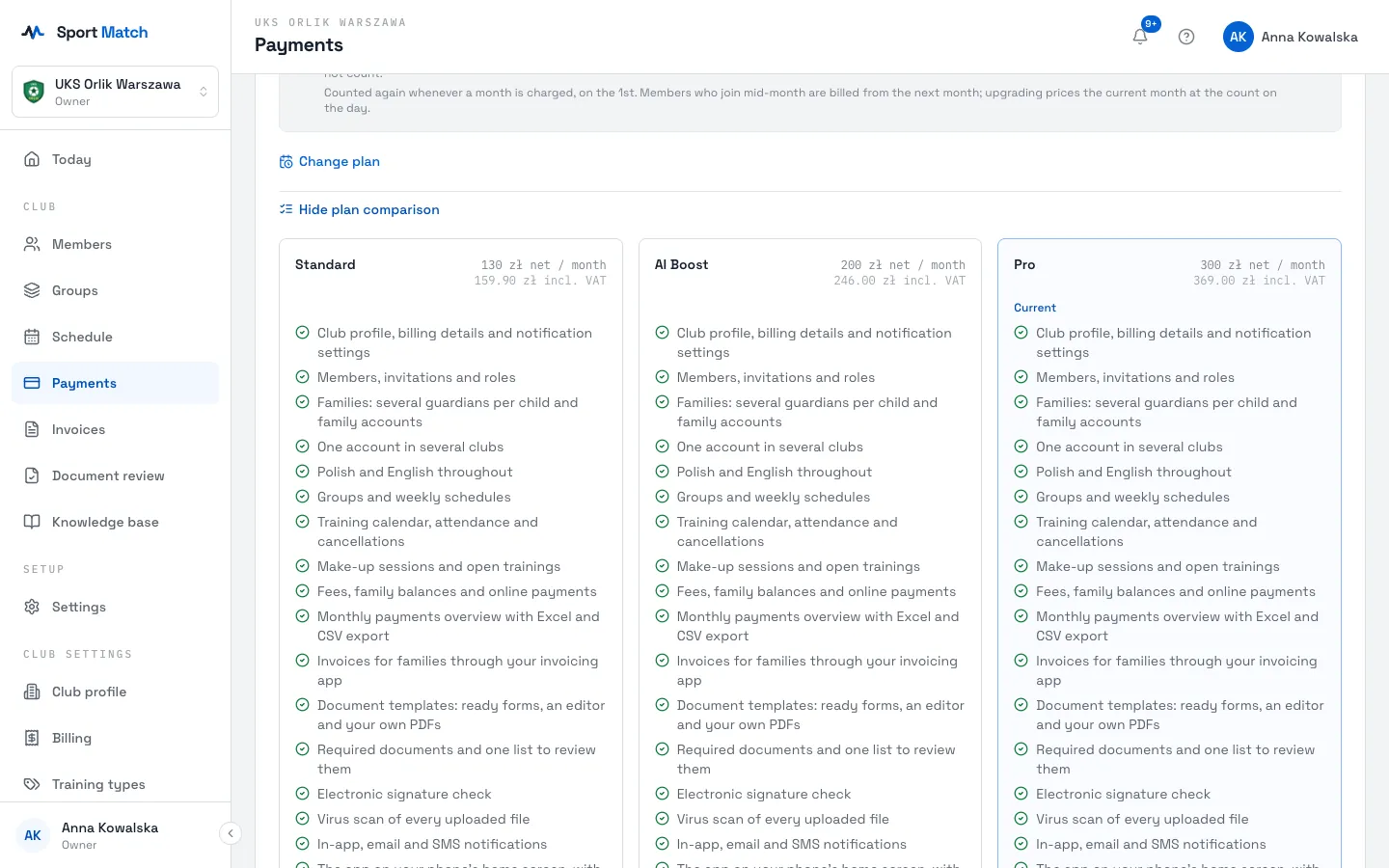
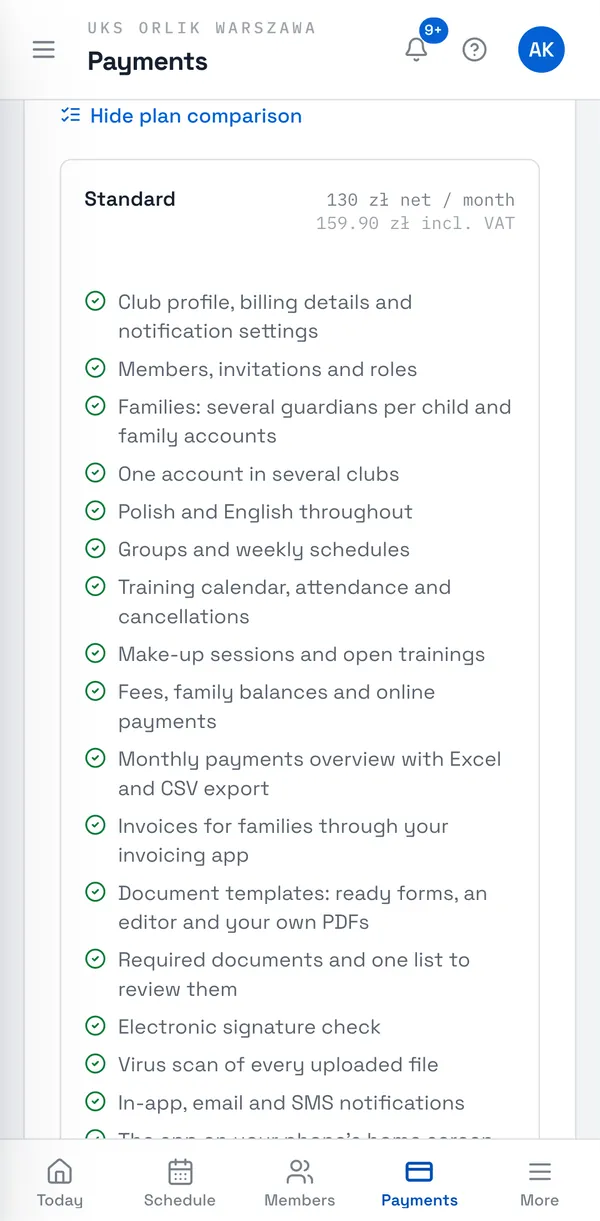
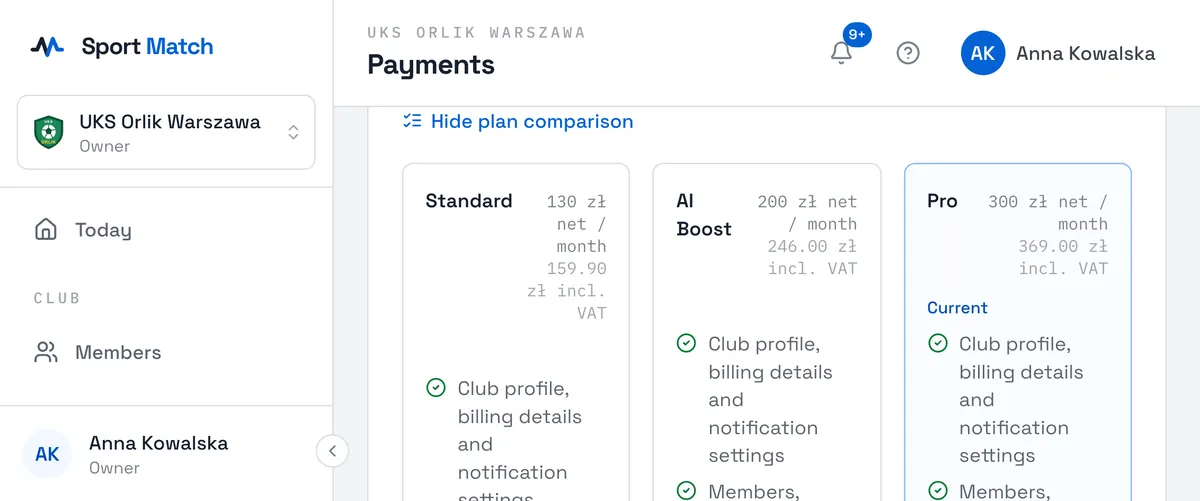
| Standard | 130 PLN net / month (159.90 PLN incl. VAT) | club profile, groups and schedules, members and invitations, the calendar and attendance, fees and online payments, notifications, the knowledge base, Polish and English throughout |
| AI Boost | 200 PLN net / month (246.00 PLN incl. VAT) | everything in Standard, plus the AI assistant and WhatsApp integration |
| Pro | 300 PLN net / month (369.00 PLN incl. VAT) | everything in AI Boost, plus coach availability and one-to-one bookings, and your schedule embedded on your own site |
Prices are net — 23% VAT is added on top. They cover clubs with up to 50 members; every further 50 members is +30 PLN net (36.90 PLN incl. VAT) a month. See what each plan includes shows the full comparison.
Changing plan
-
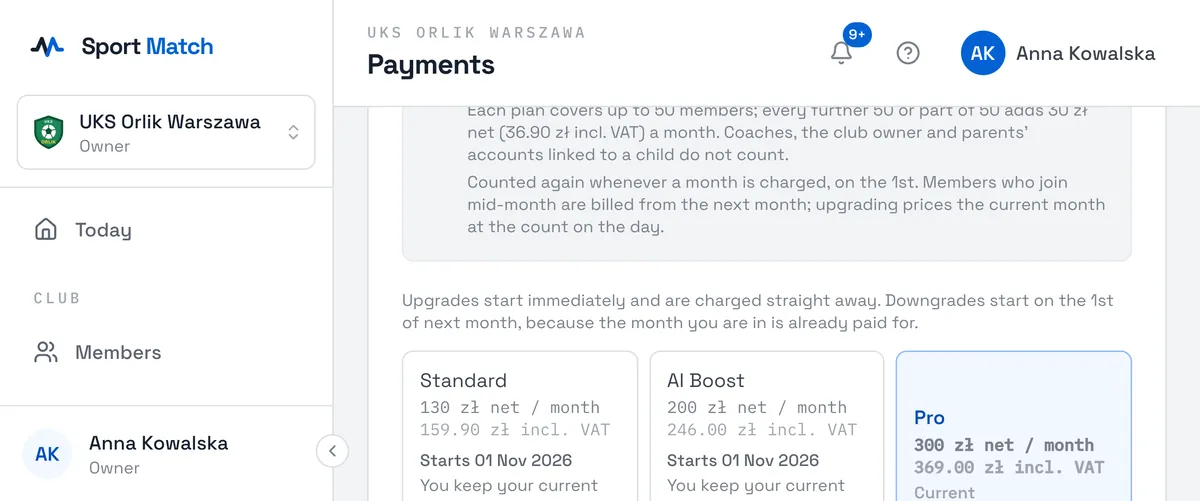
Click Change plan. Each plan shows when it would start and what you would pay.
-
Click the plan you want. Keep current plan closes the choice without changing anything.
- Upgrade
- starts today, and the current month is topped up to the new plan’s price straight away — taken from payouts like every charge (see below).
- Downgrade
- starts on the 1st of next month, because the month you are in is already paid for. Until then you keep everything in your current plan. Cancel a scheduled change with Cancel this change.
Important: There are no refunds for an unused part of a month.
Charges taken from payouts
Only the first charge — when you set up the club — is paid by card. Every later one (the monthly charge on the 1st, and the top-up when you move to a higher plan) is taken from the weekly payouts in which Sport Match passes the club the money from members’ online payments. If a week’s payout is smaller than the charge, Sport Match takes what it can and the rest from the following payouts.
-
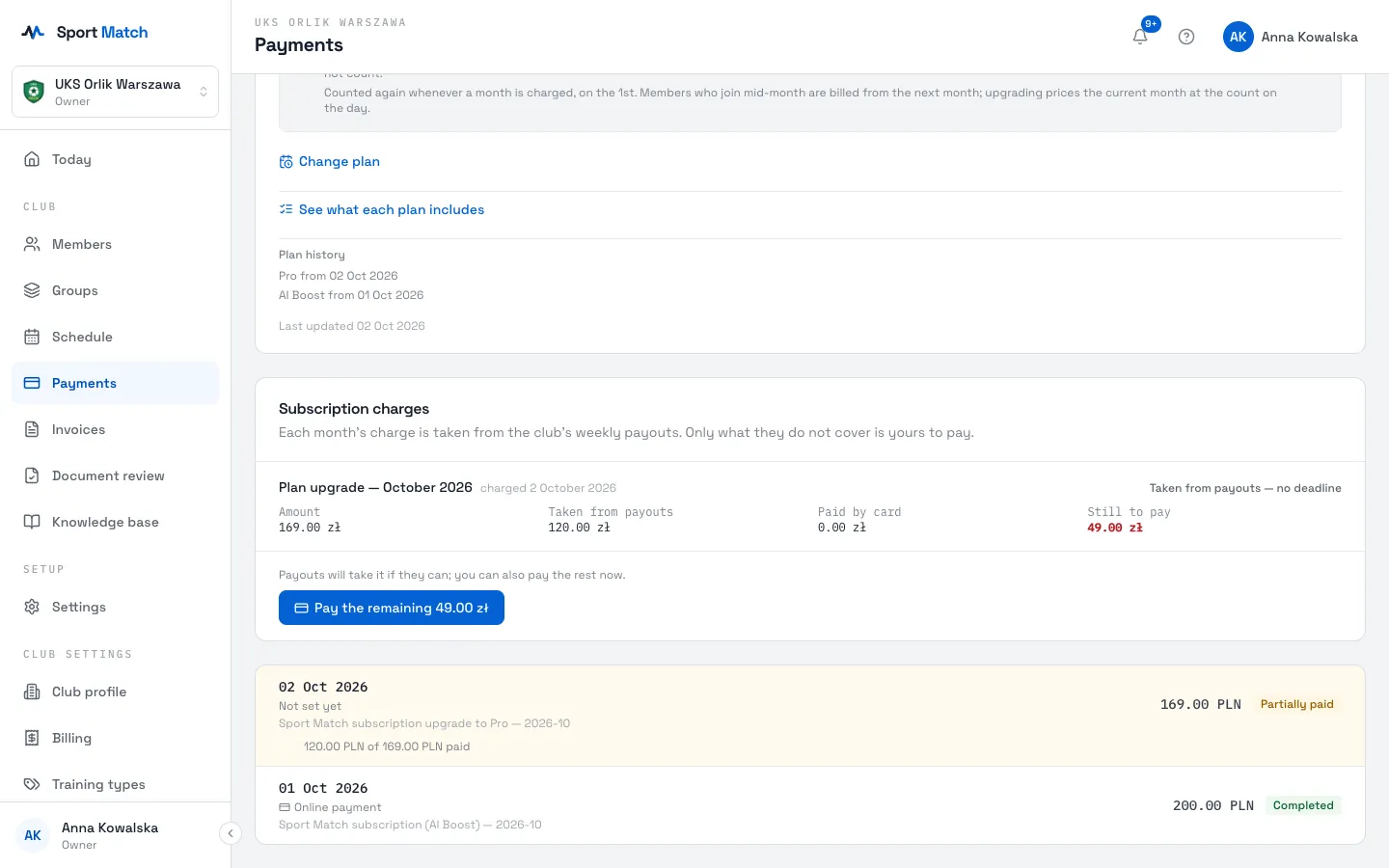
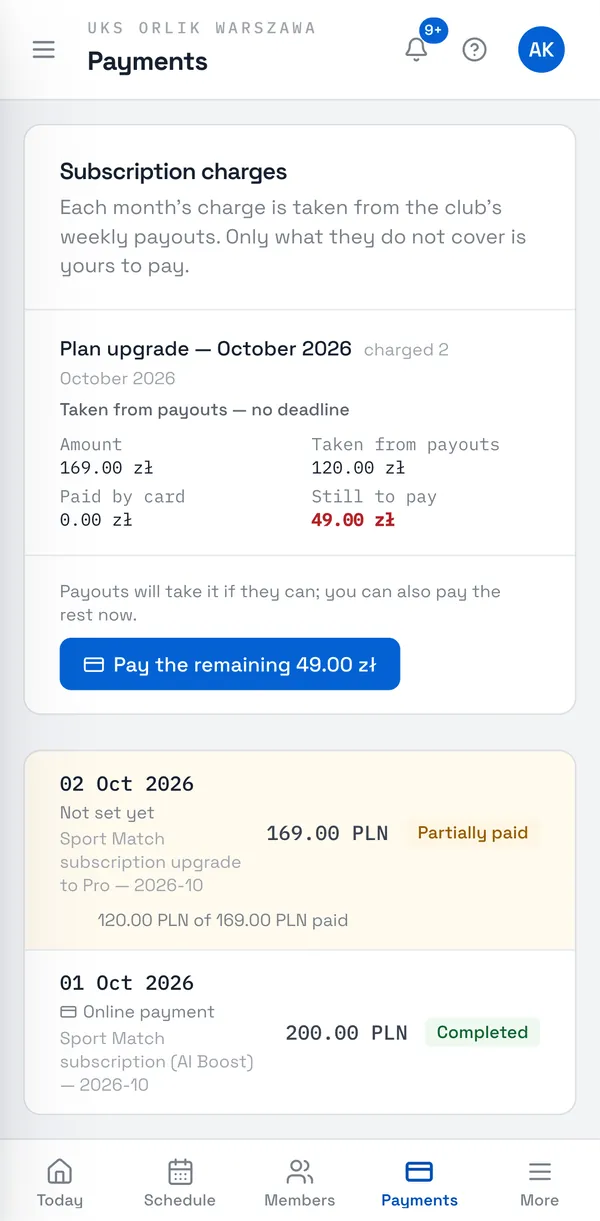
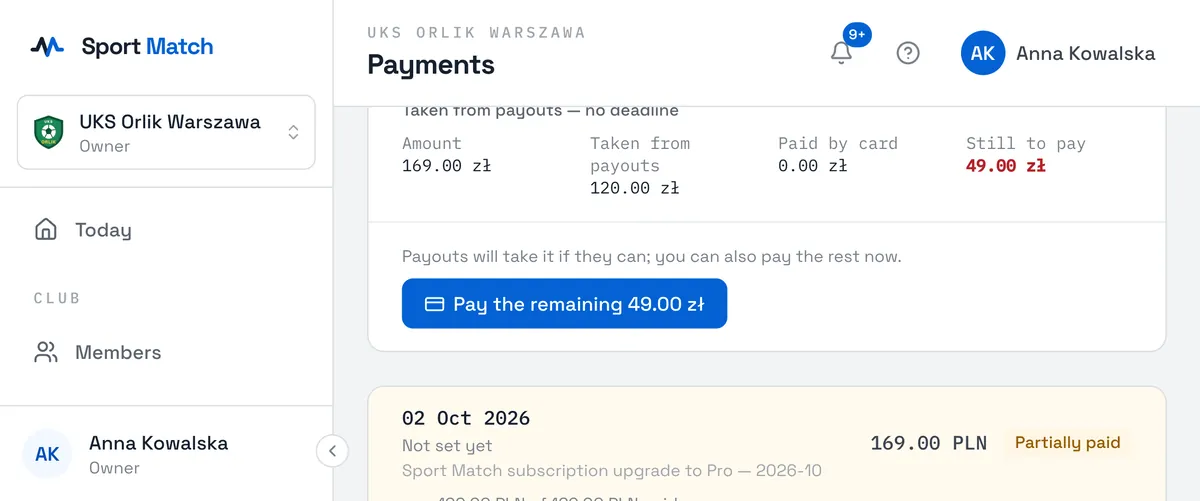
Under Payments, on the Sport Match subscription tab, the Subscription charges card shows for each charge: the Amount, what was Taken from payouts, what was Paid by card and what is Still to pay. Next to it is the deadline — “Pay by … or the club is paused” — or, for charges from before deadlines applied, “Taken from payouts — no deadline”.
-
Don’t want to wait for more payouts — say the club has few online payments this month? Choose Pay the remaining …. You pay exactly the missing amount through Przelewy24, not the whole charge.
If you pay by card while a payout takes the same amount, the card shows what was paid twice — that amount comes back to the club with the next payout.
Reminders and pausing the club
If payouts don’t cover a charge, the dates count from the day it was charged:
| Day | What happens |
|---|---|
| 7 | the first reminder (in the app, by email, push and text message) and a yellow bar at the top of every page with a Pay now button |
| 12 | the final reminder |
| 14 | the last day to pay (a payout on that day still counts) |
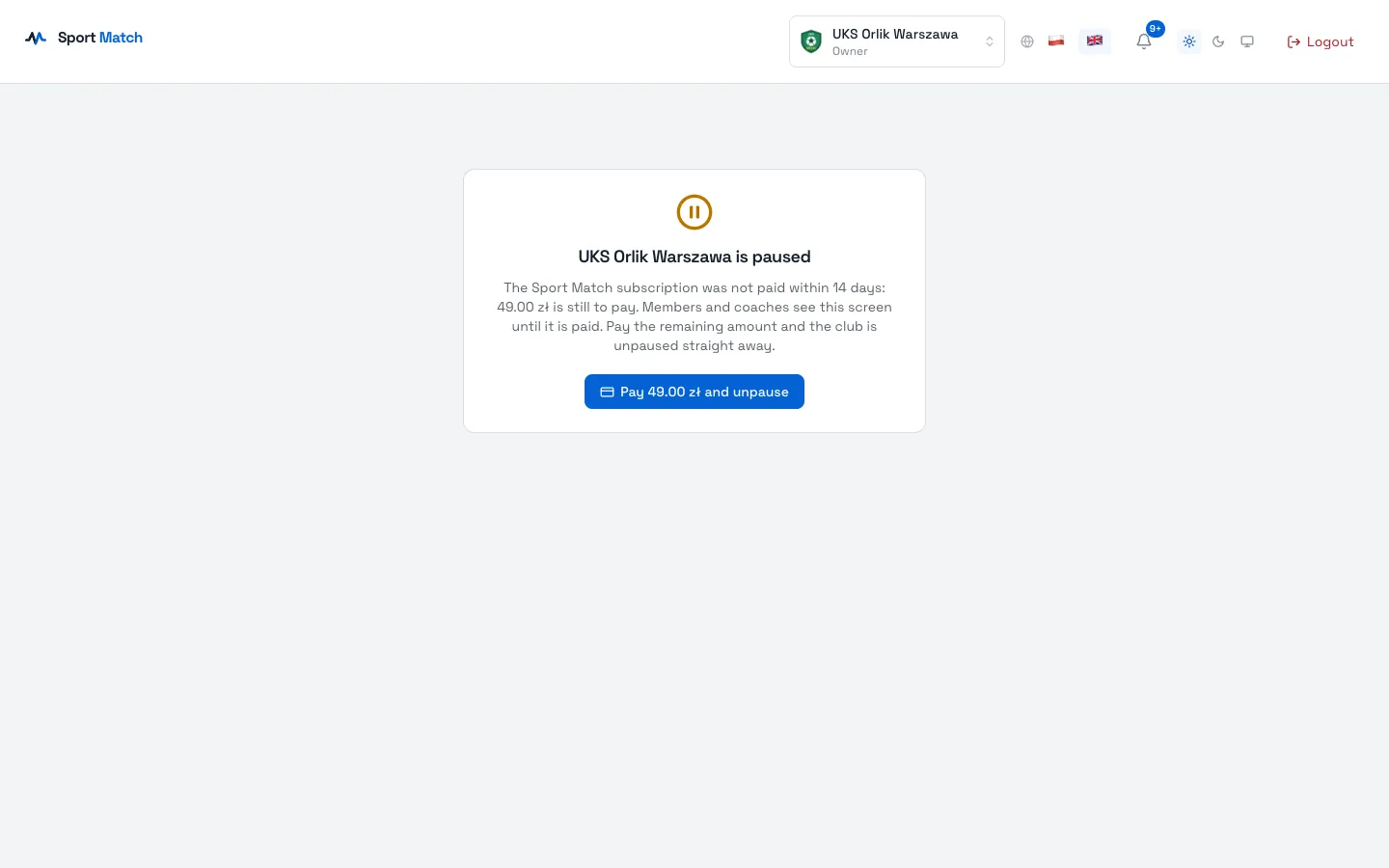
| 15 | the club is paused |
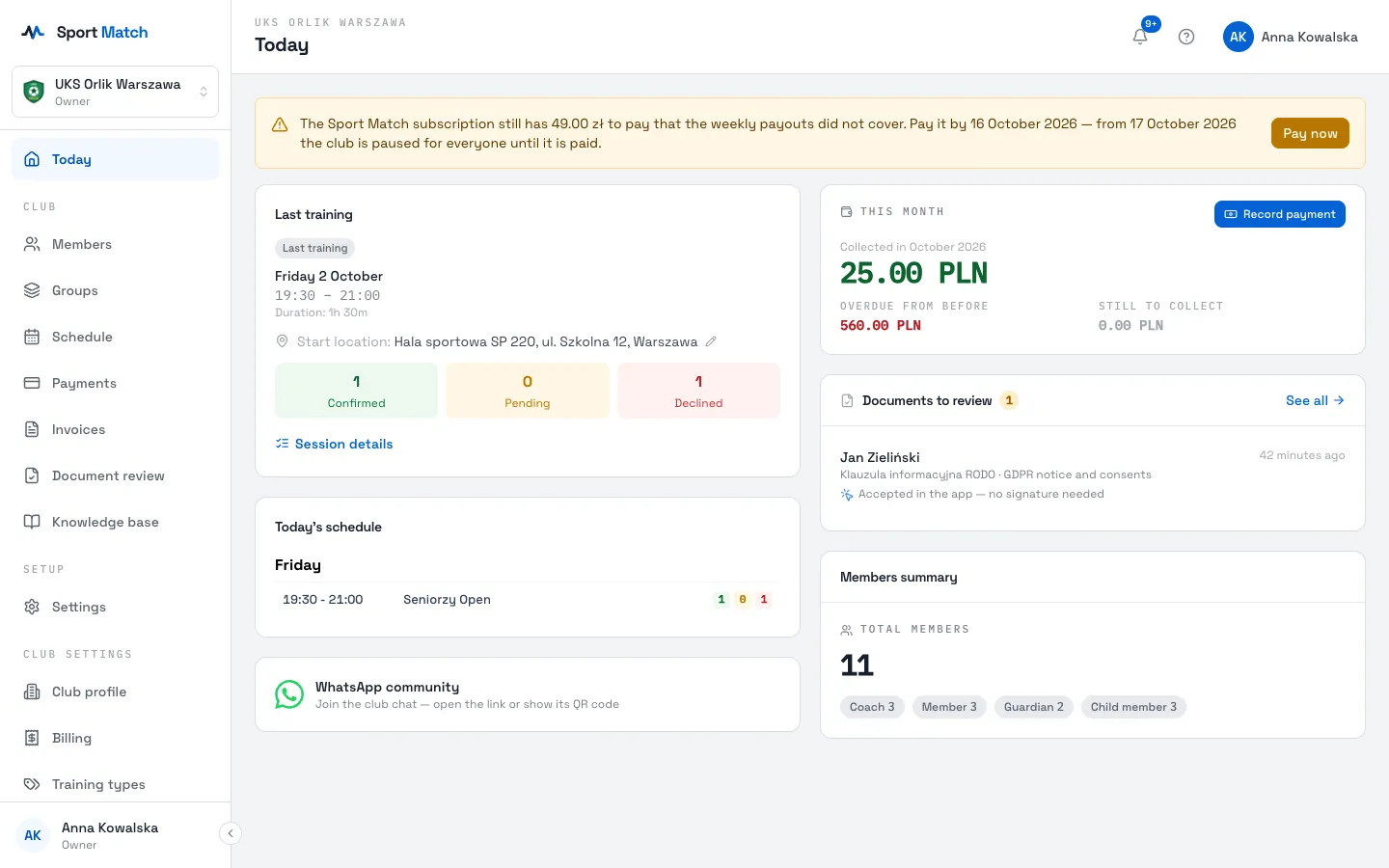
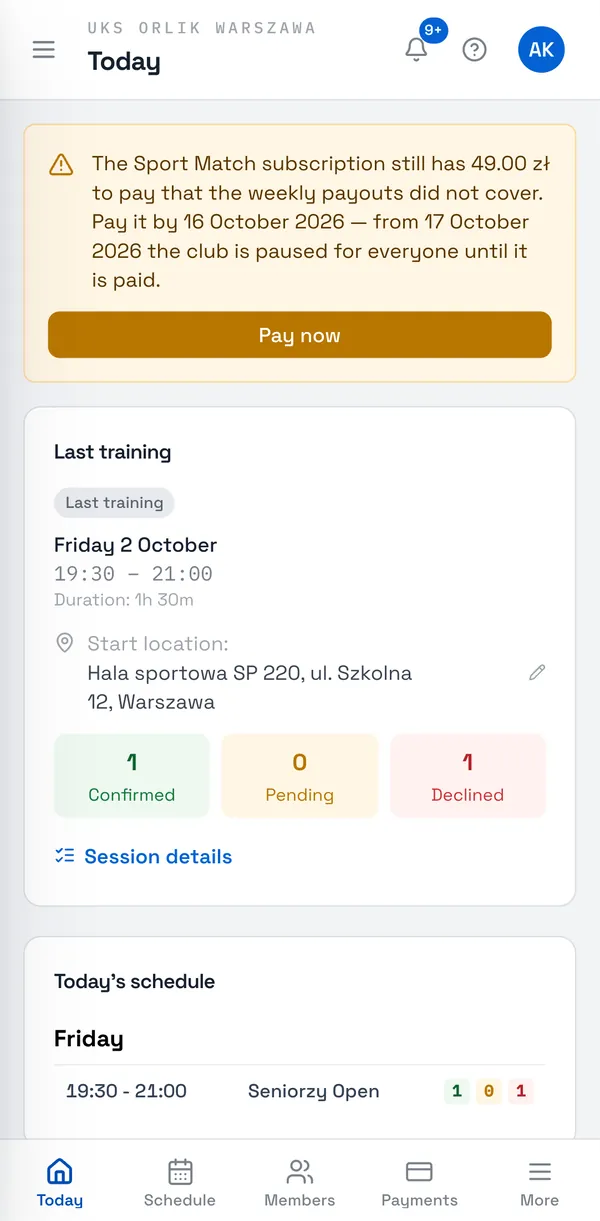
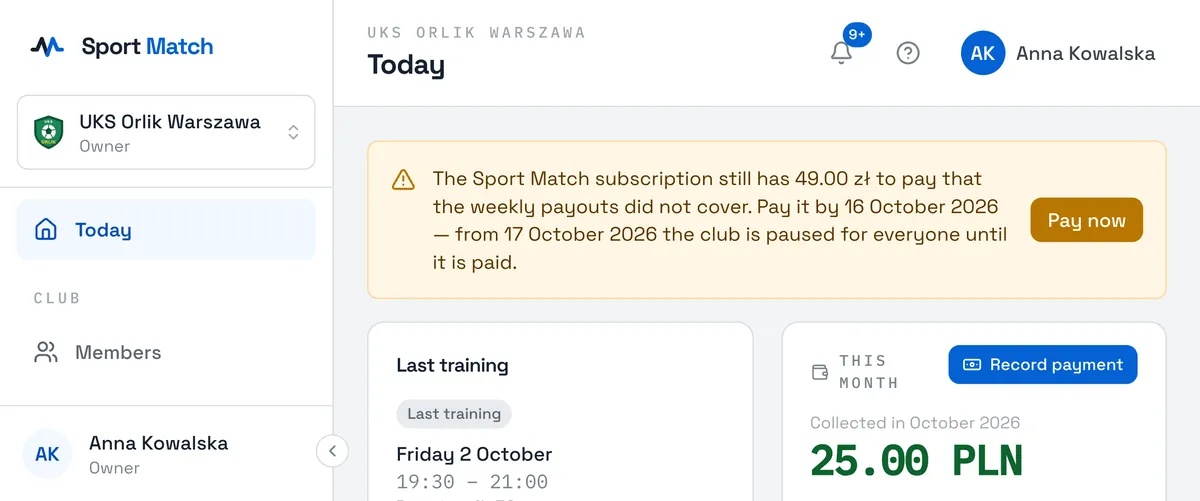
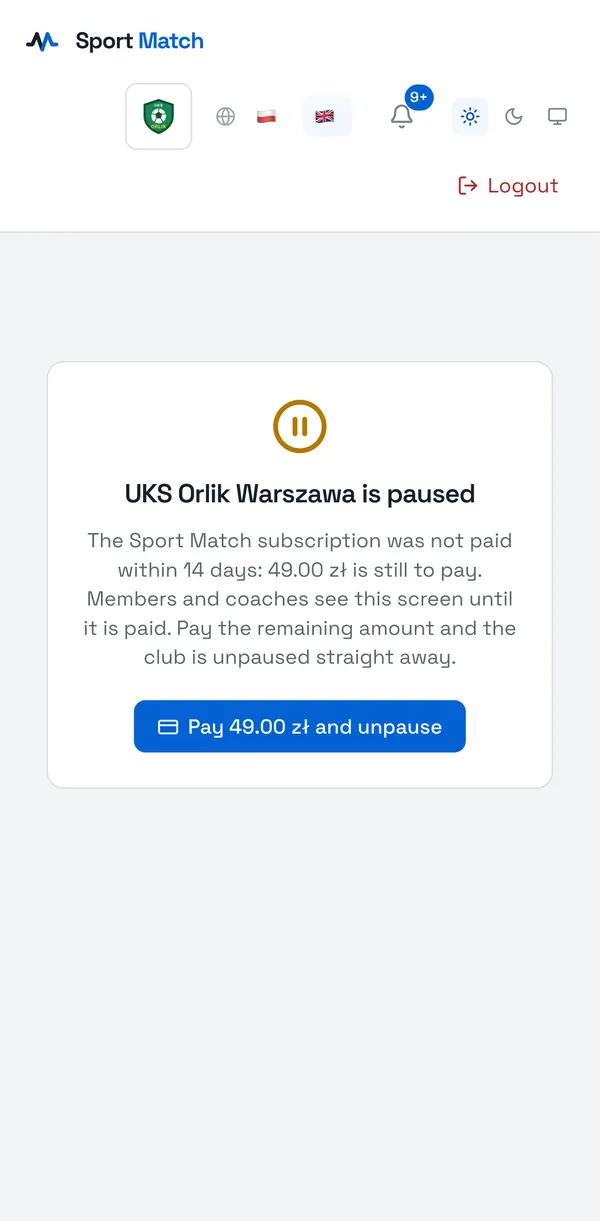
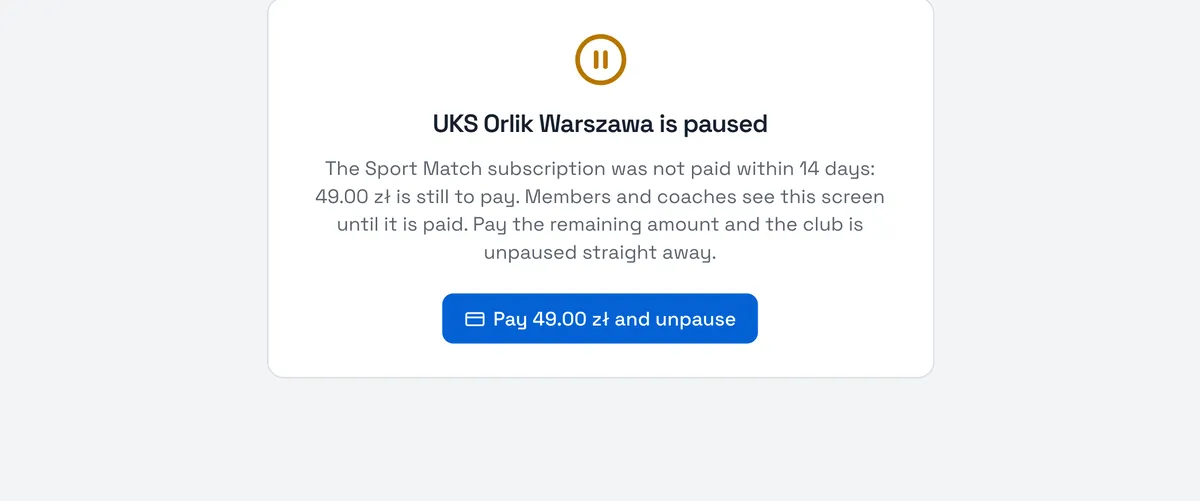
A paused club is paused for everyone — members, parents and coaches see a screen saying the club is paused and asking them to contact it. You see the amount and a Pay … and unpause button: once paid, the club works again straight away. Until then you can’t change plan either. Billing members’ fees, their payment reminders and the club’s payouts carry on.
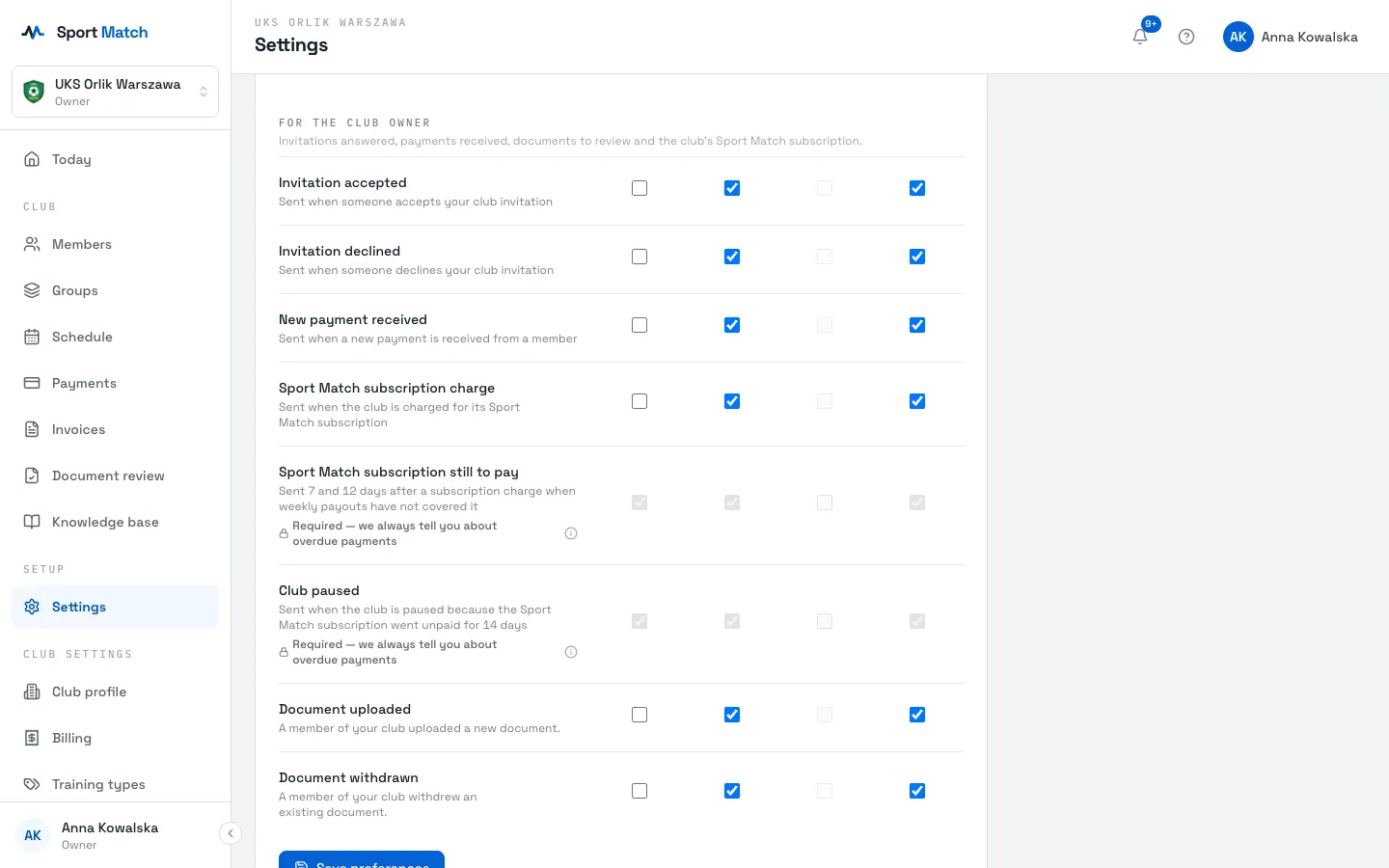
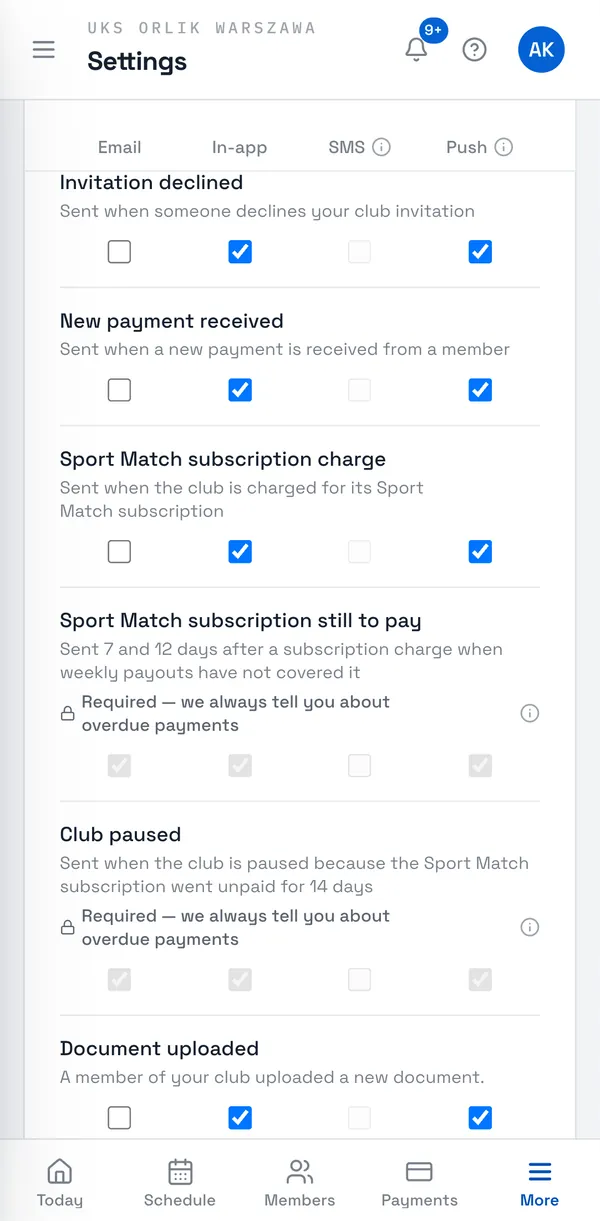
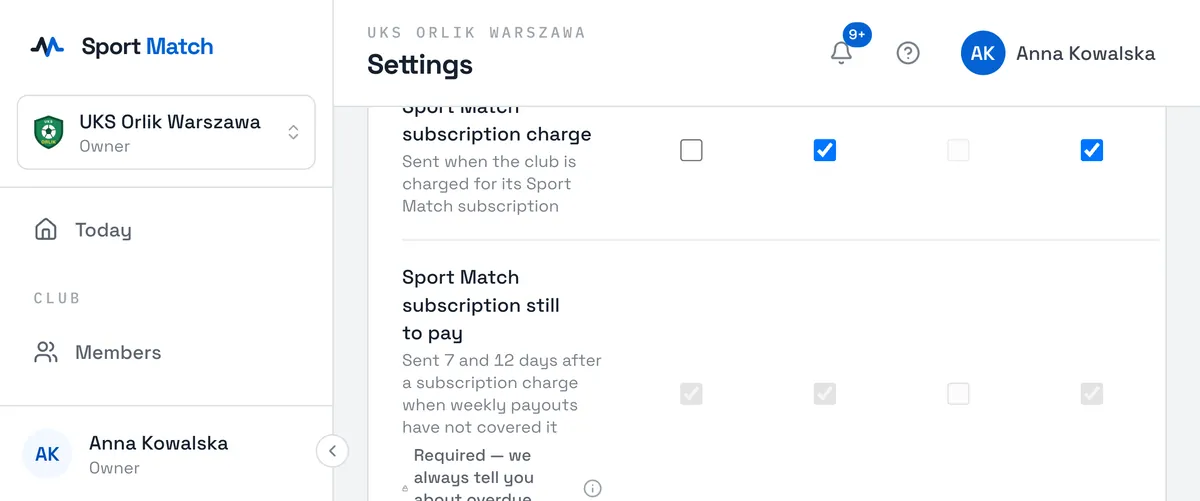
The Sport Match subscription still to pay and Club paused notifications can’t be turned off — in your notification settings every channel is ticked and locked. Texts go to your verified phone number, with no SMS add-on and at no cost.
SMS notifications for members
Text messages are a separate add-on that each member switches on themselves in their notification settings (5 PLN a month, VAT included). Sport Match charges the member directly — it costs the club nothing and isn’t part of its subscription. Members see it under Payments, on the Sport Match charges tab. More: Notifications.
Didn’t find an answer?
Write to us in the chat — it opens on this page, no login needed — or email contact@sportmatch.pl.